


- How Does the Supply Chain Attack Scam Work?
- Observation 1: Check External Integrity and Holographic Stickers (Physical Inspection)
- 1. Trezor Safe 3 & Trezor Safe 5
- 2. Trezor Safe 7
- 🚨The Golden Rule for Recovery Seed Cards:
- Observation 2: Genuine Trezor Devices Out of the Box Must Have "No Firmware"
- Firmware Authenticity Check Mechanism (firmware authenticity check)
- Observation 3: Hardware Chip-Level Verification (Secure Element & Post-Quantum Protection)
- 1. Trezor Safe 3 & Trezor Safe 5: Secure Element Chip (OPTIGA™ Trust M)
- 2. Trezor Safe 7: Dual Secure Elements & Post-Quantum Cryptography
- Comparison Table: Summary of Authenticity Checks for Each Trezor Model
- 5-Point Checklist to Verify Before Using a Trezor
- Summary
- Frequently Asked Questions (FAQ)
- Q1: Why Is the Serial Number Not Printed on the Trezor Device?
- Q2: If the "VOID" Adhesive Residue After Peeling the Sticker on a Trezor Safe 7 Is Not Clearly Visible, Is the Device Fake?
- Q3: Is It Safe to Use a Second-Hand Trezor?
- Q4: What Should I Do If I Open the Box and Find the Device Turns On, Already Has Firmware, or Has a PIN Set?
- Q5: Why Is Buying from an Authorized Reseller the Best Defense?
As we begin our journey into the world of self-custody, the phrase we hear most often is “Not your keys, not your coins.” This culture has led many to decide to purchase a hardware wallet to store their assets themselves.
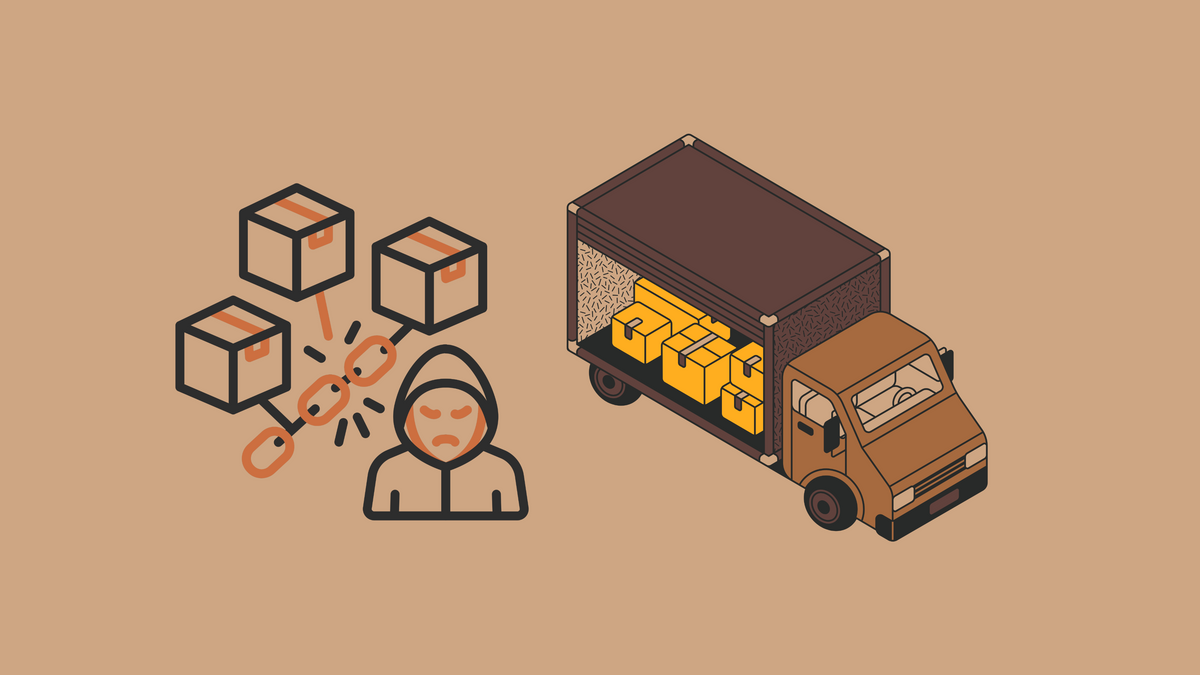
But something just as frightening as hackers in the online world is an “external threat,” also known as a supply chain attack. Imagine if our seed phrase storage device was secretly opened, had data-sniffing software installed, or was a fake device modified from the source. Every cent we transfer to store would instantly vanish.
To give you 100% confidence that the device in your hand is a genuine Trezor shipped directly from the factory, today we will take an in-depth look at basic security checks, from classic models like the Trezor Model One and Model T to the newer Trezor Safe 3 and Trezor Safe 5, and the latest flagship, the Trezor Safe 7.
How Does the Supply Chain Attack Scam Work?
Before we start looking at verification methods, let’s first understand how scammers often target our hardware wallets.
- Pre-configured Seed Scam (Pre-generated Seed Card): Scammers open the device box, set up the device to generate a 12/20/24-word seed, and print it on a card included in the box with a deceptive scratch-off sticker. When the victim believes it and uses that set of words, the scammer, who has the same set of keys, will immediately drain the coins.
- Malicious Hardware/Firmware (Tampered Chips or Firmware): Hackers open the internal circuitry to intercept button presses, PINs, or transmit the seed phrase wirelessly back to the attacker.
- Phishing Suite (Fake Website/App Scam): They use a genuine device but trick the user into downloading a fake wallet management app to steal the seed phrase.
For this reason, SatoshiLabs, the manufacturer of Trezor, designed a Multi-Layer Defense security architecture that tightly integrates physical, software (Cryptographic Verification), and hardware chipset (Secure Element) protections, following the guidelines in Trezor Support: Is My Device Safe to Use?
Observation 1: Check External Integrity and Holographic Stickers (Physical Inspection)
The first thing to check when receiving a package is the outer box and the tamper-evident holographic seal, which has a distinct position and appearance for each model:
1. Trezor Safe 3 & Trezor Safe 5
- Packaging Box: Wrapped in clear plastic or Trezor-branded shrink wrap.

- Holographic Sticker: A high-quality holographic sticker covers the USB-C port.

- Adhesive Behavior: When you peel off the sticker, the "VOID" lettering must be clearly visible on the device. This tamper-evident feature is designed to confirm that no one has previously plugged a cable into the device.
For more details, see Authenticate Trezor Safe 3 and Authenticate Trezor Safe 5
2. Trezor Safe 7
- Packaging Box: Wrapped in shrink wrap, with a screen protected by a factory-applied screen protector.
- Holographic Sticker: Seals the USB-C port, similar to the Safe series.

- Safe 7-Specific Note: Because the Safe 7 body is made of Anodized Aluminum Unibody with an exceptionally smooth metal finish, SatoshiLabs states in the official manual that the "VOID" adhesive residue may not adhere as firmly to the aluminum surface as it does to the matte surface of the plastic models. This is normal, as long as the sticker upon unboxing is intact and has never been cut.
For official details, see Authenticate Trezor Safe 7 | Trezor Knowledge Base
🚨The Golden Rule for Recovery Seed Cards:
Regardless of the model, the seed card (Recovery Seed / Wallet Backup Cards) included in the box must always be 100% blank. If you open the box and find English words printed on it, or a scratched-off code, do not use the device under any circumstances.
Observation 2: Genuine Trezor Devices Out of the Box Must Have "No Firmware"
One of the distinguishing features of Trezor is its "Clean Slate Policy." Every genuine Trezor device shipped from the factory must not have firmware installed on the device.
When you connect the Trezor to your computer for the first time using the Trezor Suite app, which can be downloaded from Download Official Trezor Suite, the system will detect that the device is empty and will require you to download and install the latest firmware that is cryptographically signed directly by SatoshiLabs.
Firmware Authenticity Check Mechanism
Every time you turn on the device or connect it via USB, the system performs an internal check and verifies the firmware signature (Firmware Signature Verification) and Firmware Revision ID:
- If the firmware is genuine, the device will operate normally.
- If modified firmware is detected, a red warning message will immediately appear on the device screen and in Trezor Suite, stating "Unofficial Firmware Detected" or "Firmware Authenticity Check Failed," as described in Trezor Support: FW Authenticity Check Failed.
Observation 3: Hardware-Level Chip Verification (Secure Element & Post-Quantum Protection)
For modern devices such as the Trezor Safe Series, SatoshiLabs has further enhanced security with a Hardware-Level Device Authentication Check that works in conjunction with the software and security chip.
1. Trezor Safe 3 & Trezor Safe 5: Secure Element Chip (OPTIGA™ Trust M)
When you connect the device to Trezor Suite, the app sends a cryptographic challenge to the Secure Element chip (OPTIGA™ Trust M) on the device. The chip processes it and sends back a signed response to verify that the board and internal chips are genuine and have not been tampered with. For more details, see Trezor Safe Device Authentication Check.
2. Trezor Safe 7: Dual Secure Elements & Post-Quantum Cryptography
In the flagship Safe 7 model, the security architecture has been upgraded to Triple-Layer Protection.
- TROPIC01: The world's first auditable and transparent Secure Element (SE) developed by Tropic Square, with its source code open for inspection by experts worldwide.
- OPTIGA™ Trust M: An EAL6+ standard Secure Element chip from Infineon.
- MCU (Main Microcontroller): Coordinates and verifies the authenticity between the two chips.
- Post-Quantum Cryptography: Safe 7 is the first hardware wallet to use hybrid post-quantum cryptography (EdDSA + SLH-DSA-128) to verify the firmware and device boot, protecting against long-term tampering. Read more at SatoshiLabs News: Trezor Safe 7 Launch.
Comparison Table: Summary of Authenticity Checks for Each Trezor Model
| Device Model | Holographic Sticker Check | Hardware Verification System (Security Chip) | Default Backup Card Format | What to Expect When Connecting for the First Time |
|---|---|---|---|---|
| Trezor Safe 3 | Hologram covering the USB-C port (leaves a VOID mark) | Secure Element (OPTIGA™ Trust M) | 20 words (blank paper) | Device Authentication + Firmware Installation |
| Trezor Safe 5 | Hologram covering the USB-C port (leaves a VOID mark) | Secure Element (OPTIGA™ Trust M) | 20 words (Standard / Multi-share) | Device Authentication + Firmware Installation |
| Trezor Safe 7 | Hologram covering the USB-C port (aluminum surface) | Dual SE (TROPIC01 + OPTIGA™) + Post-Quantum | 20 words (Single / Multi-share) | Dual SE Authentication + Firmware Installation |
5-Point Checklist to Verify Your Trezor Before Use
In summary, if you receive a new Trezor, regardless of the model, always remember these 5 important checklist items for maximum security.
- The exterior and holographic sticker must be 100% intact: The packaging box must show no signs of being opened, and the tamper-evident holographic sticker (sealing the box edge for the Model One or covering the USB-C port for the Model T, Safe 3, Safe 5, and Safe 7) must be firmly attached, with no signs of being torn or peeled off beforehand.
- The included Recovery Seed Card must be "blank": The recovery document included in the box must not have any English words, PIN codes, or numbers printed or written on it.
- Connect only through the official Trezor Suite: Download the wallet management software only from Download Official Trezor Suite. Do not download it from external links or from unknown software.
- A brand-new device out of the box must be "blank" and have no firmware: When connected for the first time, the screen should not be ready for use immediately. Instead, Trezor Suite must detect that no firmware is installed and guide you through installing genuine firmware signed by SatoshiLabs.
- Pass the hardware and software verification (Device & Firmware Authenticity): Once connected, the system must pass hardware-level authentication (Secure Element Check for the Safe series), and no red error messages or "Unofficial Firmware" warnings should appear.
If all 5 checks pass, you can be confident that the device is genuine and ready for you to create a new Seed Phrase and securely store your assets yourself, without worry.
Summary
The key to self-custodying Bitcoin and digital assets is not having the most expensive or most popular device, but rather having "the understanding and discipline to verify."
"Don't Trust, Verify" is not only used for checking blockchains or software code, but also for the physical devices we use to store our private keys. Taking just 5–10 minutes to check the holographic sticker, the integrity of the backup card, and the authentication through Trezor Suite will completely close the door on risks from scammers.
If you are currently looking for a hardware wallet companion, whether it is the Trezor Safe 3, Safe 5, or Safe 7, and want to be 100% sure that the product is genuine and shipped directly from the manufacturer, with a warranty and a Thai support team available throughout your usage, you can browse products at Bitcast, one of the officially authorized resellers in Thailand.
What about you? What points do you check when unboxing your first hardware wallet? Come share your experience or chat with us on LineOA @bitcast.
For those using other brands, I have previously written guides on how to check for a genuine Blockstream Jade, as well as a genuine OneKey verification guide for you to read. You can click through to read them now.
Frequently Asked Questions (FAQ)
Q1: Why is there no serial number printed on the Trezor device itself?
This is due to SatoshiLabs' Privacy by Design approach. It prevents customer purchase or personal information from being linked to the actual device in the event that store data is hacked. The serial number seen on the box is only for verifying the packaging production lot. For more details, see Trezor FAQ: Can You Check If a Device Is Genuine by Serial Number?.
Q2: If the "VOID" adhesive residue is not clearly visible after peeling the sticker on the Trezor Safe 7, does that mean the device is fake?
No. This is because the Safe 7 body is made of anodized aluminum, which results in different adhesive adhesion compared to plastic. As long as the sticker is in perfect condition before peeling and the device passes the Device Authentication Check in Trezor Suite, you can be confident that it is genuine.
Q3: Is it safe to use a second-hand Trezor?
We strongly advise against it. Although Trezor has a factory reset system and allows you to reinstall the firmware, we cannot guarantee 100% that the previous owner did not open the device to tamper with the internal hardware circuitry. Saving a small amount of money is definitely not worth the risk of losing all your funds.
Q4: What should I do if I open the box and find that the device turns on, already has firmware installed, or has a PIN set?
Stop using it immediately and never transfer any assets into that wallet. Then, contact the seller or retailer to request an immediate replacement, as a genuine new device from the factory should not have any firmware installed.
Q5: Why is buying from an Authorized Reseller the best defense?
Because it eliminates the risk of product switching during transit (Supply Chain Interception). Officially appointed retailers receive product batches directly from SatoshiLabs in Europe and use secure shipping systems. You can check the list of authorized retailers at the Trezor Official Resellers Directory. You can learn more about the benefits of buying from an Authorized Reseller at Buying a Hardware Wallet through an Authorized Reseller Isn't as Scary as You Think?

แชร์:
What is the safest way to manage your seed phrase?
How to check if a Blockstream Jade is genuine vs. fake: What to look for before actually using it