


In an era where cryptocurrencies are gaining immense popularity, protecting your digital assets is of paramount importance. A Hardware Wallet is considered one of the safest ways to store your digital currency.
However, beyond its basic functions, there are interesting facts about Hardware Wallets that many people might not be aware of. Let's explore what they are.
1. Hardware Wallets don't actually store cryptocurrency.
Many people mistakenly believe that a Hardware Wallet is a device that stores cryptocurrency coins directly on it. In reality, it functions to store and protect your Private Key, which is the key used to access and control digital assets recorded on the blockchain. All transactions are signed via the Hardware Wallet and then sent to the blockchain for network confirmation.
Example: If you have 1 BTC in your wallet, you don't actually hold that coin on the physical device. Instead, the Hardware Wallet uses the Private Key only to approve transactions for transferring or receiving BTC.
2. More secure from malware and hackers than software wallets.
A Hardware Wallet operates as Cold Storage (offline), meaning it is not directly connected to the internet. This reduces the risk of attacks from malware, phishing, or keyloggers.
Example: If you use a software wallet on your computer and it gets infected with malware, hackers might steal your Private Key. But if you use a Hardware Wallet, hackers cannot access your Private Key at all because the Private Key never leaves the device.
3. Multiple brands to choose from.
Currently, several companies develop Hardware Wallets, each with distinct features, such as:
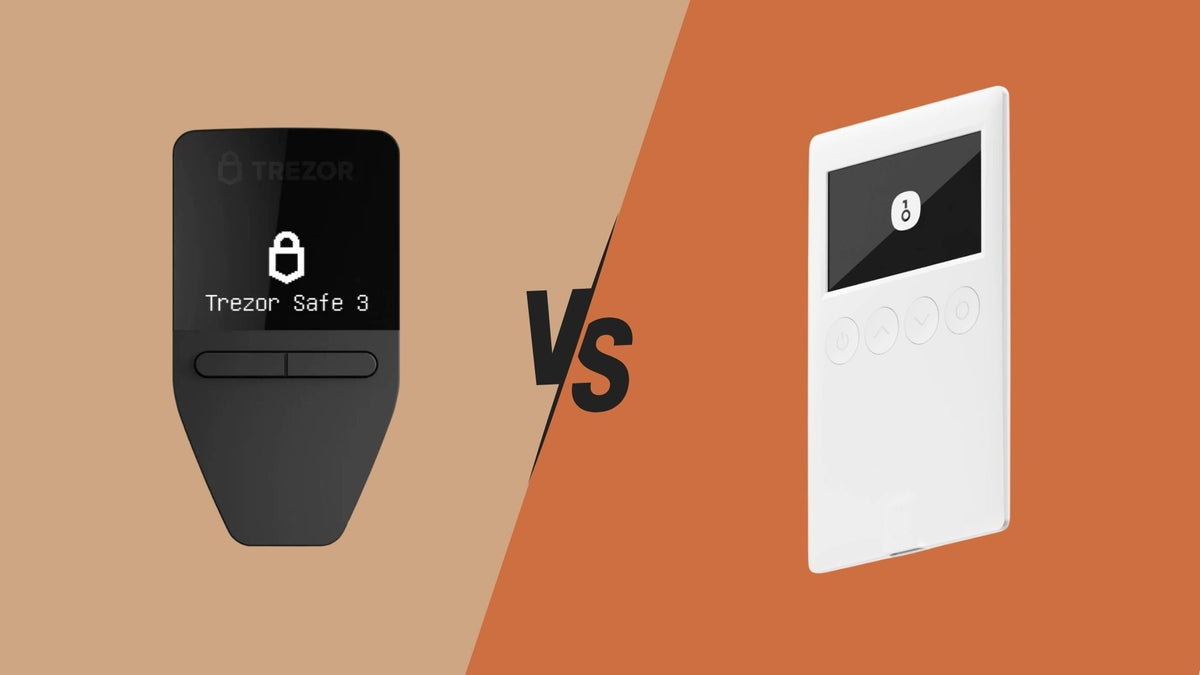
- Trezor Model T / One – It is open-source, offering high transparency, and supports major coins like BTC, ETH, ADA, etc.
- OneKey – Features a simple, user-friendly design and supports both USB and Bluetooth connections.
- Keystone – Offers an Air-Gapped system that doesn't require USB or Bluetooth connections, reducing the risk of hacking.
You should choose a Hardware Wallet that suits the assets you hold and check its security features to match your usage needs.
4. Some models support multiple blockchains in one device.
Hardware Wallets are available in models that support a single blockchain and models that support multiple blockchains. How does the difference between these two types affect usage?
- Single-blockchain models, such as BitBox02 Bitcoin-only, support only Bitcoin. They are suitable for those who want to focus on a single asset.
- Multi-blockchain models, such as Ledger and Trezor, support Bitcoin (BTC), Ethereum (ETH), Binance Smart Chain (BSC), Solana (SOL), Cardano (ADA), and others. This allows you to store and use digital assets from various networks in one device.
Choosing the right model depends on the type of assets you hold. If you need high flexibility, you should opt for a multi-blockchain Hardware Wallet.
5. Can be used with DeFi and DApps.
Some people think that Hardware Wallets are only for storing coins, but in reality, these devices can connect to DeFi platforms or decentralized applications (DApps) via Metamask or WalletConnect, such as:
- Trading on Uniswap – Users can swap ETH or other tokens by using their Hardware Wallet to sign transactions. However, users should thoroughly check transaction details every time before signing via the Hardware Wallet to prevent incorrect coin transfers.
- Participating in Yield Farming on PancakeSwap – Increase income from farming coins without the risk of using a software wallet.
- Borrowing on Aave or Compound – Use digital assets as collateral to borrow other coins securely.
6. Can recover assets even if the device is lost.
If your Hardware Wallet is lost or damaged, you can still recover your assets as long as you have your Recovery Seed (Seed Phrase), which is a set of 12 or 24 random words used to reconstruct your Private Key.
Example: If you lose your Trezor Safe 5, you can buy a new Trezor and use your Seed Phrase to instantly recover your original wallet.
How to securely store your Recovery Seed:
- Write it down on paper or a metal plate – Avoid saving it in digital files, such as notes on your phone or computer, as it could be hacked or lost.
- Store it in a safe place – Use fireproof and waterproof storage, such as a safe or safety deposit box.
- Do not share it with anyone – If someone knows your Recovery Seed, they can access and steal all your assets.
- Use Metal Backup – Metal plates for engraving Recovery Seed are fireproof, waterproof, and pressure-resistant.
7. Firmware must be updated periodically for security.
Although secure from malware, Hardware Wallet manufacturers regularly release Firmware updates to patch security vulnerabilities (Hardware Wallet firmware is the software that controls the device's operation). Therefore, it is important to check and update your device's software regularly.
Manufacturers typically release firmware updates to:
- Fix security vulnerabilities – Reduce the chance of hackers using old vulnerabilities to breach the system.
- Add support for new coins – Update to support new digital assets entering the market.
- Improve performance – Increase stability and ease of use.
How to securely update firmware:
- Download from the official website only – Avoid updating from untrustworthy sources.
- Connect the Hardware Wallet to the manufacturer's software – such as Ledger Live or Trezor Suite.
- Perform the update and verify the installation – Make sure the update is complete before disconnecting the device.
8. Has a hidden wallet mode to protect against coercion.
Some Hardware Wallets feature Hidden Wallet or Passphrase Protection, which allows users to create a decoy wallet that looks real in case they are coerced into revealing information.
What is a Passphrase and how does it work?
A Passphrase is an additional secret text string created by the user that acts as a "13th word" or "25th word" after the Recovery Seed to generate an additional wallet. This can be used as a primary or backup wallet. Without the Passphrase, this wallet cannot be accessed.
Benefits of a Passphrase:
- Increased security – Even if the Recovery Seed is stolen, if the malicious party does not have the Passphrase, they cannot access the primary wallet.
- Used as a decoy wallet – If coerced into revealing information, a wallet with fewer or no assets can be provided instead.
Usage example: If you want to protect your assets, you can create a primary wallet for regular use and a hidden secondary wallet. If you are forced to unlock a wallet, you can provide the Passphrase that leads to an account with a smaller amount instead of your main account.
9. Hardware Wallets cannot prevent physical theft.
Although a Hardware Wallet provides excellent protection against online hacking, if the device falls into the wrong hands, there is still a physical risk, such as being forced to reveal your PIN or Recovery Seed.
How to prevent physical theft:
- Use a strong, hard-to-guess PIN – Do not set easy PINs like 1234 or 0000.
- Enable Self-Destruct feature (if available) – Some models have an automatic data wipe system if the wrong code is entered multiple times.
- Use a Passphrase to hide your main wallet – If you are coerced into unlocking it, you can provide a wallet with fewer assets instead.
- Store your Hardware Wallet in a safe place – Use a safe or secure hiding spot.
10. Hardware Wallets must only be purchased from reliable sources.
Avoid purchasing Hardware Wallets from untrustworthy sources or second-hand, as there is a high risk of pre-installed malware or pre-recorded Seed Phrases to steal your assets later. You should purchase from the manufacturer's official website or certified retailers.
How to securely buy a Hardware Wallet:
- Buy from the manufacturer's official website, such as Ledger, Trezor, Keystone.
- Buy from an authorized reseller – Check that it is a trustworthy store.
- Do not buy second-hand products – Used devices may have malware embedded or been tampered with.
- Check the box seal – The box should be in new condition, without any signs of being opened.
And if you wish to order from an official reseller like Bitcast to guarantee genuine products, reliable after-sales support, and a full 1-year warranty, you can click here to view products and place an order: → Bitcast
Conclusion
A Hardware Wallet is one of the safest ways to store your digital assets, as it protects your Private Key from malware and hackers, and offers numerous security features such as using a Recovery Seed to restore your wallet if the device is lost, and using a Passphrase to create a backup wallet in emergencies. However, users must still adhere to security guidelines, such as carefully safeguarding their Seed Phrase and purchasing devices only from trusted sources. Choosing the appropriate Hardware Wallet should be based on your needs, whether it's multi-blockchain support, DeFi compatibility, or the desired level of security. When used correctly, a Hardware Wallet will be an essential tool in keeping your digital assets safe from both online and offline threats.
💡 Don't forget! The security of your digital assets depends on how you use your Hardware Wallet. Always use your Hardware Wallet carefully, and your digital assets will be safe! 🔐


แชร์:
Bitcoin Beginner Series EP4. 5 Misconceptions
April 2025 Hardware Wallet Update Summary