


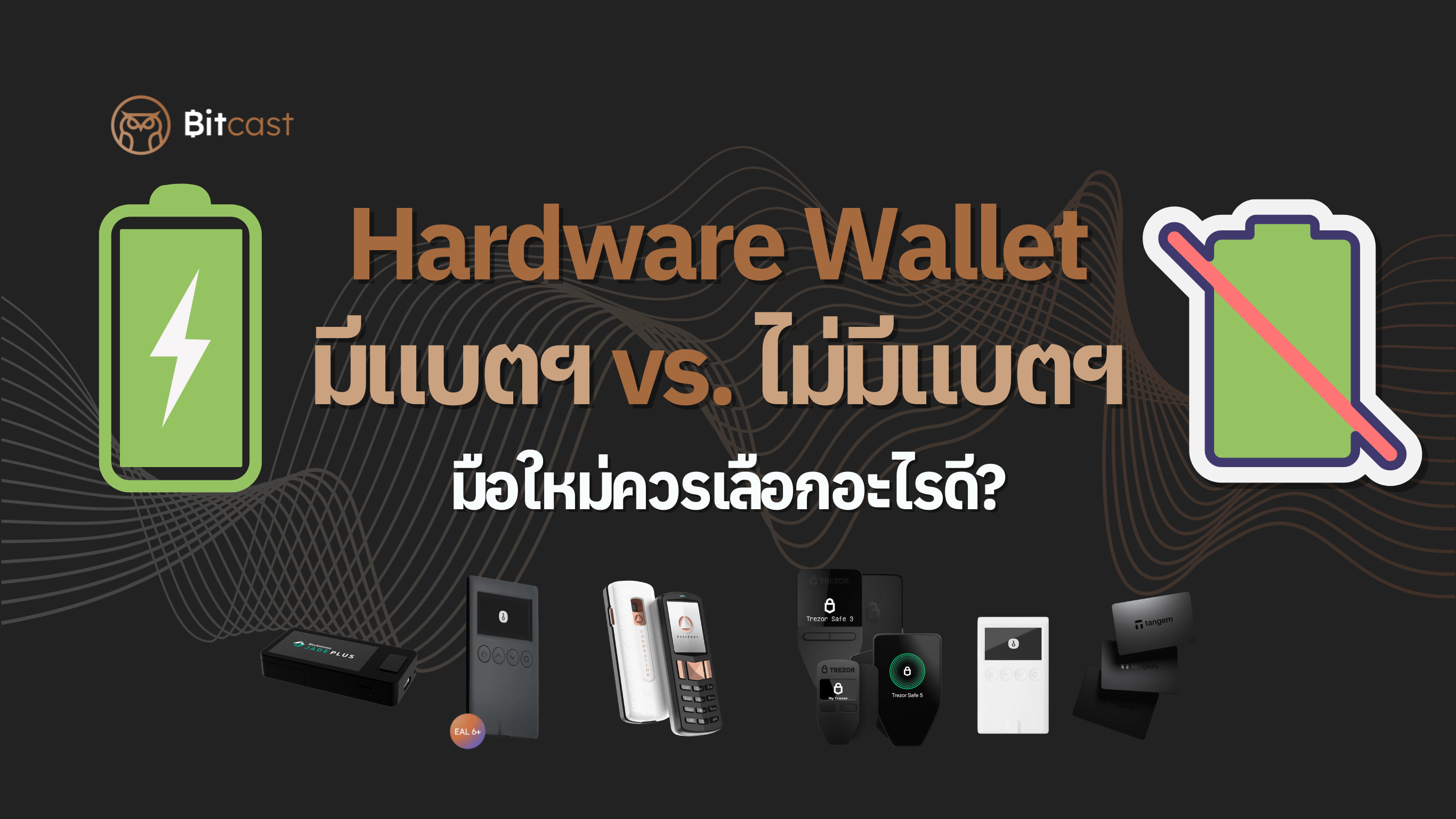
In a world where digital assets have become part of life, security is paramount for everyone, especially novice investors just starting out. A hardware wallet is the answer to securely storing your cryptocurrency, offering superior security compared to keeping it on an exchange. However, as you begin your research, you'll find that there are two main types of hardware wallets that can be confusing: those with a battery and those without a battery. So, which one should a beginner like us choose? This article has the answer.
How Does a Hardware Wallet Work? (Simplified Version)
Before we get to the battery, what you need to understand is that a hardware wallet is not a "bank" that stores your crypto coins inside. Instead, it's a device used to store your "private key," which is a secret code used to confirm ownership of assets. The device acts as a strong fortress, preventing this private key from easily escaping into the online world, even if your computer gets a virus.

With Battery: Freedom and Convenience
This type of hardware wallet is designed to meet the needs of a mobile lifestyle, with the following advantages and limitations:
Pros
- Wireless Connectivity (Bluetooth): This is the main selling point. You can conduct transactions via your smartphone or tablet without the hassle of a USB cable, making it convenient and freeing you from your computer.
- Large Screen and Easy to Use: Many battery-powered models often come with larger screens and easier-to-use controls, making it more convenient to review transaction details or settings.
Cons
- Battery Degradation Concerns: Like other electronic devices, batteries have a limited lifespan. Over time, their performance degrades, and you may need to charge them more frequently. While the device can still be used via a USB cable, this can be a long-term concern.
- Higher Price: Generally, battery-powered hardware wallets tend to be more expensive than models without batteries.

Without Battery: Simplicity and Durability
If you are looking for simplicity with a focus on durability, this type of hardware wallet is an interesting option. Here are its advantages and limitations:
Pros
- Durable and Worry-Free: No battery means no worries about degradation, allowing you to use the device for many years without thinking about replacing the battery or constantly charging it.
- Simplicity is Security: Connecting via a USB-C cable means the device draws power directly from a computer or smartphone, reducing potential points of connection and making operation more stable.
- More Affordable: For novice investors who don't want to overinvest, hardware wallets without batteries are often a more cost-effective option.
Cons
- Inconvenient for Mobile Use: You always need a USB-C cable connection, making use with a smartphone potentially less convenient. If you frequently need to transact on the go, this could be a limitation.
Hardware Wallet Comparison
|
Product/Model Name |
Power Source |
Connectivity |
Notes (Pros/Cons) |
More Details Link |
|
Blockstream Jade Plus |
Built-in battery |
USB-C, Bluetooth, QR Codes |
Highly flexible with multiple connection options |
|
|
OneKey Classic 1S |
Built-in battery |
USB-C, Bluetooth 5.0 |
Emphasizes portability and wireless use |
https://thaibitcast.com/products/onekey-classic-1s?sca_ref=8444561.Z64JpdNiQm |
|
Passport Batch 2 |
Built-in battery |
USB-C (charge only), QR camera |
Air-gapped device using battery for flexibility |
|
|
Trezor Safe 3 |
External power |
USB-C |
Works only when connected to a computer |
https://thaibitcast.com/products/trezor-safe-3-hardware-wallet?sca_ref=8444561.Z64JpdNiQm |
|
Trezor Safe 5 |
External power |
USB-C |
Works only when connected to a computer |
https://thaibitcast.com/products/trezor-safe-5-hardware-wallet?sca_ref=8444561.Z64JpdNiQm |
|
Trezor Model One |
External power |
Micro-USB A |
Classic model that requires a cable to operate |
https://thaibitcast.com/products/trezor-one-hardware-wallet?sca_ref=8444561.Z64JpdNiQm |
|
OneKey Classic 1S Pure |
External power |
USB-C |
Emphasizes simple design, no battery concerns |
https://thaibitcast.com/products/onekey-classic-1s-pure?sca_ref=8444561.Z64JpdNiQm |
|
Tangem 3 Cards Set |
External power |
NFC |
Wireless card wallet, powered by smartphone |
https://thaibitcast.com/products/tangem?sca_ref=8444561.Z64JpdNiQm |
|
TAPSIGNER® |
External power |
NFC |
Wireless card wallet, powered by smartphone |
https://thaibitcast.com/products/tapsigner%C2%AE?sca_ref=8444561.Z64JpdNiQm |
Conclusion: Which should a beginner choose?
There isn't one best answer for everyone. However, you can easily choose one that fits your lifestyle by asking yourself these questions:
-
How often and where do you use crypto?
- If you transact frequently and prioritize convenience on your mobile device, a battery-powered model will suit you better.
- If you primarily hold coins for the long term (HODL) and don't transact often, usually doing so via a computer at home, a battery-free model is sufficient and more durable.
-
What is your budget?
- If you have a limited budget and want to start with the highest security, a battery-free model is the most cost-effective and sensible choice.
Regardless of your choice, the most important thing is to set up your device correctly and store your Seed Phrase (recovery phrase) in the safest possible place, away from people and the online world. This is the last key that will allow you to access your assets if your device is damaged or lost.
Choosing between a hardware wallet with or without a battery isn't about which one is better, but rather about which one best meets your usage needs and brings you the most peace of mind.


แชร์:
How to plan to pass on Bitcoin to your loved ones?
Demystifying why Bitcoin can be transferred across multiple chains, and what the differences are.