


Summary: The xPub (Extended Public Key) is a BIP-32 standard master public key that can generate an unlimited number of receiving addresses without using a Private Key in a Single-sig wallet. The xPub allows users to securely create a Watch-only Wallet, but in a Multisig Wallet system, the xPub from every device is a mandatory component that must be combined to calculate the wallet address and be used for wallet recovery.
Summary: The xPub (Extended Public Key) is a BIP-32 standard master public key that can generate an unlimited number of receiving addresses without using a Private Key in a Single-sig wallet. The xPub allows users to securely create a Watch-only Wallet, but in a Multisig Wallet system, the xPub from every device is a mandatory component that must be combined to calculate the wallet address and be used for wallet recovery.
- Get to Know xPub, the Master Public Key Behind the HD Wallet Standard (BIP-32)
- The Relationship from Seed Phrase to Master Private Key and Branching into xPub
- Clarifying How xpub, ypub, zpub, and Zpub Differ and Why Their Starting Characters Are Different
- How xPub in a Single-sig Wallet Helps Increase Convenience and Privacy
- Automatically Generate New Receiving Addresses Without Plugging in a Hardware Wallet
- Creating a Watch-only Wallet on Your Phone to Securely Check Your Balance Without the Risk of Key Leakage
- Privacy Leak Precautions: Why Someone Who Obtains Your xPub Cannot Steal Your Coins, But You Should Not Share It Carelessly
- Stepping into Multisig: Why xPub Changes from a Convenience Tool to the Core of Fund Recovery
- Why Your Own Key Alone Cannot Generate the Receiving Address for a Multisig Vault
- The Role of xPub in Calculating Change Addresses and Preventing Wallet-Swapping Malware
- A Critical Situation in a 2-of-3 System: Why Losing One Seed Phrase Along with an xPub Makes It Impossible to Recover Your Coins Forever
- Side-by-Side Comparison of Seed Phrase, Private Key, xPub, and Receiving Address
- Summary of How to Safely Manage and Store xPub for Both Single-sig and Multisig
- Frequently Asked Questions (FAQ)
When we start withdrawing Bitcoin from an exchange to store it in our own Hardware Wallet, the first ironclad rule we all memorize is to keep the 12 or 24-word Seed Phrase sheet strictly confidential. But after using a wallet for a while, when you want to set up an app to check your balance on your phone or start studying Multisig Wallets, you will often encounter long strings of text starting with xpub or zpub appearing on your screen.
The important question that I believe immediately pops into your head is:
"What exactly is this xPub that looks like a long code, and is it the same secret key as the Private Key?"
"If we copy the xPub into a mobile app to check our balance, or accidentally leak this value, can someone else steal the coins from our wallet?"
"And why do Multisig system users warn so strongly that if you lose the xPub along with just one key, all the money in the vault may never be recoverable again?"
Today, I will take you through the technical structure of the xPub in plain language, starting from its basic role in a normal Single-sig wallet to its critical role in a Multisig system, so you can manage your keys with confidence.
Get to Know xPub, the Master Public Key Behind the HD Wallet Standard (BIP-32)
If we go back to the pioneering era of Bitcoin, early wallets generated keys randomly and separately. This meant that if you generated 100 new receiving addresses, you had to keep backing up new key files, which was cumbersome and highly risky for data loss.
A major turning point came with the invention of the hierarchical deterministic wallet standard, or HD Wallet, based on the BIP-32 standard. This allowed us to remember only a single root set while branching out into an unlimited number of keys and receiving addresses (How Seed Phrases and Private Keys Work).
The Relationship from Seed Phrase to Master Private Key and Branching into xPub
To understand the position of the xPub value, imagine it simply as the "company's bank account system" that descends from the highest authority into 3 levels as follows:
- Level 1 Seed Phrase and Extended Private Key (xprv): Like the "highest signing authority seal with a debit card" that is kept strictly hidden inside the Secure Element chip of the Hardware Wallet only. This level of key has the power to transfer out all funds and is the origin used to calculate the one-way mathematical function to generate the master public key.
- Level 2 Extended Public Key (xPub): When the system combines the level 1 public key with the Chain Code (32 bytes), it produces the xPub value, which is like a "view-only account book." The mathematical miracle of this level is that it can continuously produce minor receiving account numbers and be used to view every single incoming and outgoing transaction bill, but it has no power to withdraw even a single cent and cannot be calculated back to the level 1 secret key.
- Level 3 Receiving Address (each individual receiving address): Like a "one-time receiving account number," such as an address starting with bc1q... that is stamped out from the xPub printing machine to send to friends or exchanges to transfer coins to us.

Clarifying How xpub, ypub, zpub, and Zpub Differ and Why Their Starting Characters Are Different
When you open public key information in various wallet management programs such as Trezor Suite, Electrum, or Sparrow Wallet, many people may wonder why sometimes the message does not start with xpub but instead starts with ypub or zpub.
The answer lies in the supplemental standard called SLIP-0132. In essence, all of these are exactly the same Extended Public Key, but the developers have defined the first 4 bytes (Version Bytes) to display as different leading letters so that the wallet software can immediately know which script format to use this template to generate receiving addresses (Electrum Version Bytes):
- xpub (lowercase): The original BIP-32 standard, often used with legacy accounts (Legacy P2PKH addresses starting with 1) or used as the default standard format in modern wallet structure files.
- ypub (lowercase): Used to indicate that it is a template for generating Nested SegWit addresses (P2SH-P2WPKH addresses starting with 3).
- zpub (lowercase): Used to indicate that it is a template for popular standard Single-sig wallets like Native SegWit (P2WPKH addresses starting with bc1q).
- Ypub and Zpub (uppercase): Notice that the first letter being uppercase has an even more special meaning. Zpub (uppercase) is used to indicate that it is a master public key template specifically for Native SegWit (P2WSH) Multisig wallets.
How xPub in a Single-sig Wallet Helps Increase Convenience and Privacy
For friends using standard single-signature (Single-sig) wallets, the xPub is a crucial assistant working behind the scenes to provide both convenience and security in your daily life.
Automatically generating a new receiving address every time without plugging in your Hardware Wallet
In accordance with privacy principles on the Bitcoin network, we should not reuse the same receiving address every time we receive funds, as it makes it easy for outsiders to track and link your activities.
When you set up your wallet for the first time, your computer or mobile wallet management software will remember the xPub for that account. This allows the application to use the xPub to calculate and generate the next receiving address in the sequence (e.g., 2nd, 3rd, 4th, etc.) whenever you need to transfer coins from an exchange to your savings wallet. You can click to receive coins immediately without ever needing to open your safe, take out your Hardware Wallet, and plug it in (except in cases where you wish to connect the device to verify the address on its screen).
Creating a Watch-only wallet on mobile to safely check balances without the risk of key leakage
Many investors like to check the value of their Bitcoin portfolios on their smartphones throughout the day, but entering a Seed Phrase into a mobile wallet app that is constantly connected to the internet is extremely dangerous.
The safest solution is to scan only the xPub (or zpub) into a mobile wallet application to create a "Watch-only Wallet." This method allows you to check your total balance, review recent incoming transactions, and generate new QR codes to receive coins anytime, anywhere, while your Private Keys remain 100% offline inside your Hardware Wallet at home. Even if your phone is stolen or infected with malware, a thief has no way to move your coins.
Privacy Leak Warning: Why no one can steal your coins with an xPub, but why you shouldn't share it carelessly
Seeing that an xPub cannot be used to authorize transactions, a common question is, "So, can I post my xPub on social media or show it to anyone?"
The answer is: You should never disclose it to others unless absolutely necessary. Think back to the analogy of a balance-viewing passbook. When you send only a single receiving address (bc1q...) to a friend or an exchange for identity verification, they can see the balance of only that specific address and cannot know how many other addresses you have in that same wallet.
However, if someone gets hold of your xPub, they can calculate and derive all of your receiving addresses and Change Addresses within that account. This allows them to see your total portfolio balance and your transaction history—past, present, and future—down to the last cent. Even though they cannot steal your money, others knowing you hold a large amount of Bitcoin creates safety and security risks, such as threats to your life and property. Therefore, you should always keep your xPub as private information.
Stepping up to Multisig: Why the xPub changes from a convenience feature to a critical component for recovery
The most important turning point you must understand clearly is that when you move from a Single-sig wallet to a multi-signature vault (Multisig Wallet), such as a 2-of-3 Multisig system, the role of the xPub immediately shifts from "a convenience feature" to "a mandatory structure essential for wallet recovery."
Why your own keys alone cannot generate receiving addresses for a Multisig vault
In a Single-sig system, your Hardware Wallet has only one set of master keys, so it can calculate and generate its own receiving addresses entirely within the device.
However, in a 2-of-3 Multisig system using 3 Hardware Wallets from different brands (to prevent Supply Chain Attack risks)—for example, one Trezor, one OneKey, and one Blockstream Jade—the receiving address for the central vault (P2WSH Address) must be created by combining the public keys of all 3 devices according to a mathematical sequence.
This means the Trezor device alone has no way of knowing what the central vault's address looks like unless it receives the xPubs from the second and third devices to be assembled via intermediary software like Sparrow Wallet or Nunchuk. (Ledger Academy Multisig xPub)
The role of xPub in calculating Change Addresses and preventing malware from swapping wallets
In addition to generating receiving addresses, the xPubs of all participants are very important when you "send funds out" as well.
When we send Bitcoin out of the wallet, the system must send the remaining funds back to a "Change Address" in our original vault. For the Hardware Wallet in our hand to verify and confirm that the Change Address is indeed our Multisig wallet (and not an address an attacker's malware on the computer tried to sneak in), the device must use the xPubs of all 3 participants to calculate and verify it on the device screen. This is why modern devices always require you to register the Multisig configuration (consisting of the xPub of every device) in the hardware before starting actual use.
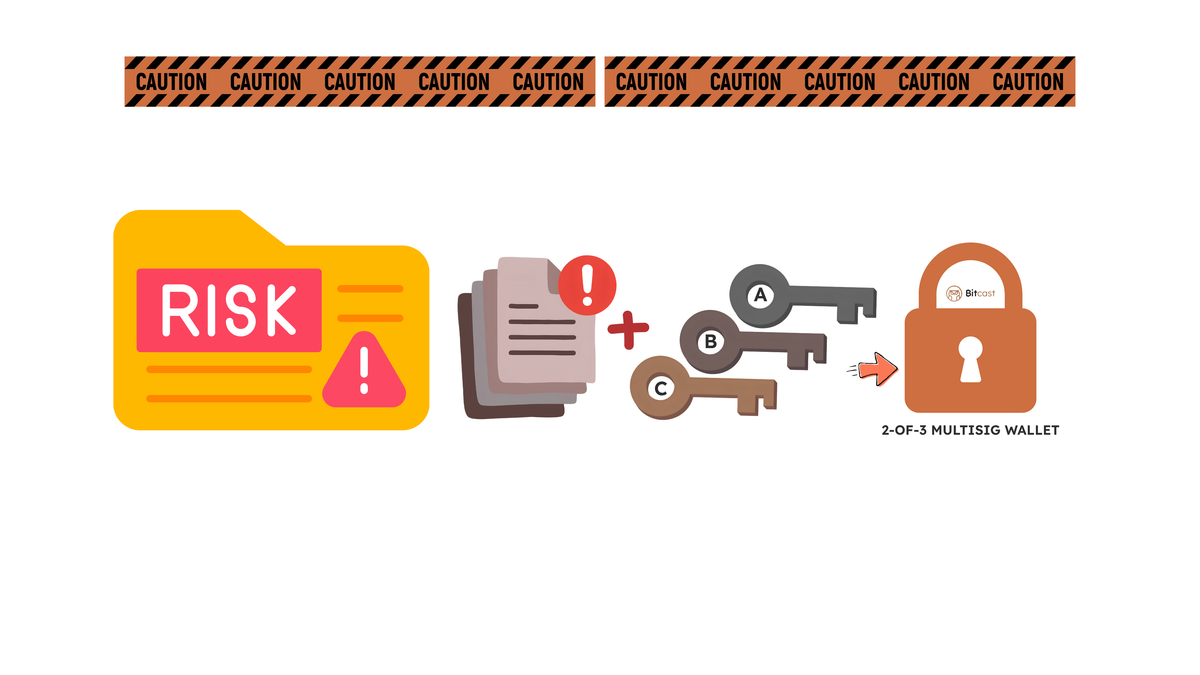
Critical situation in a 2-of-3 system: Why losing 1 Seed Phrase plus the xPub results in permanent loss of funds
This is the most important rule of this article. Many people mistakenly believe that in a 2-of-3 Multisig system, as long as we have 2 (out of 3) sets of Seed Phrases, we should be able to recover our money because the condition to authorize a transfer only requires 2 signatures.
But the mathematical truth is that before we can sign with 2 keys to unlock the vault, we must first recreate the original vault door. And the original vault door can only be created if we know the xPubs of all 3 keys.
Imagine if one day you lose the 3rd device and its 3rd Seed Phrase in a fire, and at the same time, your home computer breaks down without you ever having backed up the wallet configuration file (Wallet Output Descriptor) or noted down the xPubs of all 3 devices separately.
The result will be that even though you hold the 2 keys required to sign, the wallet software will ask, "What is the xPub of the 3rd key?" Since you have neither the 3rd Seed Phrase nor a copy of the 3rd xPub, the system cannot calculate the original vault script, leaving all the Bitcoin in that wallet locked and lost forever.
A head-to-head comparison table of Seed Phrase, Private Key, xPub, and Receiving Address
To make it clearer, I have summarized the differences between these 4 levels of key information, along with their roles and the required security levels for storage, in a head-to-head comparison.
| Comparison Criteria | Seed Phrase (12/24 words) | Extended Private Key (xprv) | Extended Public Key (xPub / zpub) | Receiving Address (bc1q...) |
|---|---|---|---|---|
| Analogy | Master mold for all keys in your life | Cash card and payment authorization stamp | Balance passbook with invoice generator | Invoice number for individual transactions |
| Authorization to transfer | 100% full authority (recover and send from all accounts) | 100% authority (limited to that specific account) | No authority to transfer (only for viewing balances and generating addresses) | No authority to transfer (for receiving coins only) |
| Impact if leaked | Immediately lose all coins in every account and on every chain on that device. | Lose all coins in the account managed by that key. | The coins are not lost, but all privacy is lost (others can see the total balance and every transaction history). | Others can see the balance and history of that address only. |
| Single-sig recovery necessity | Highest necessity (only one set of Seed Phrase can recover 100% of it) | No need to write down separately, as it can be automatically recalculated from the Seed Phrase. | No need to write down separately, as it can be immediately recalculated from the Seed Phrase. | No need to write down separately, as it can be immediately recalculated from the xPub. |
| Multisig recovery necessity | Must have the minimum number (e.g., 2 out of 3 sets) to sign an outgoing transfer. | Can be calculated from the Seed Phrase of each device. | Highest necessity, must have all devices (e.g., 3 out of 3) together with the Output Descriptor file at all times. | Can be recalculated when all xPub values from every device in the circle are available. |
Summary of safe management and storage guidelines for xPub across both Single-sig and Multisig.
Once you understand the entire mechanism, you will see that xPub is an innovation that makes self-custody of Bitcoin significantly more flexible and secure. Here is a summary of practical guidelines that can be applied immediately:
- For Single-sig users: You do not need to worry about writing down the xPub on paper for recovery, because a single Seed Phrase sheet can always recreate the xPub. What you should do is use the xPub (or zpub) to create a Watch-only wallet on a trusted mobile app to check balances and generate new receiving addresses without having to frequently take out the actual device and connect it via cable. Also, be careful not to disclose the xPub to outsiders to protect your financial privacy.
- For Multisig users: The absolute rule that must never be forgotten is "always back up the xPub of every participant in the circle (via the Wallet Output Descriptor file or BSMS file) and store it together with the Seed Phrase sheet at every location." For example, if we have 3 key storage locations, each location should have both the private key for that location and a copy of the Descriptor file containing the xPub values of all 3 devices stored together (or the file encrypted and backed up) to ensure that even if an emergency occurs and 1 key is lost, we still have the complete 3-key template to open the vault and recover the assets 100%.
Have you ever tried using an xPub or zpub to create a Watch-only wallet on your phone to check your Bitcoin balance? Or if you are planning to move to a Multisig system and have questions about backing up the wallet structure file, feel free to discuss it in the comments. And if you need advice on choosing a pair of Genuine Hardware Wallets from an Authorized Distributor, you can contact the Bitcast team anytime.
Frequently Asked Questions (FAQ)
They cannot steal the coins because, according to the BIP-32 standard's mathematical principles, the xPub is a one-way master public key used only for generating receiving addresses and checking balances. It cannot be calculated backward to find the Private Key or Seed Phrase to sign an outgoing transfer. However, anyone who obtains the xPub will be able to see the total remaining balance and every transaction history of all addresses under that account, so it should be kept confidential to protect privacy.
The different prefixes result from specifying the script type code according to the SLIP-0132 standard so that the wallet software knows what type of receiving address to generate. By
- xpub is used with the original address format (Legacy starting with 1)
- ypub is used with Nested SegWit addresses (starting with 3)
- zpub (lowercase) is used with standard Native SegWit Single-sig wallets (starting with bc1q)
- Zpub (uppercase) is used for Native SegWit Multisig wallets.
No, you do not need to write it down separately for recovery. In the Single-sig system, as long as you have a 12 or 24-word Seed Phrase sheet (and a Passphrase if one is set), when you restore it on a new device, the device can automatically recalculate and recreate the xPub and all original receiving addresses.
Because to unlock coins from a Multisig wallet, the software must first generate the "original vault's condition script (Redeem/Witness Script)". This script is created by combining the xPub values of all 3 keys. If even one xPub from the 3rd device is missing, the system cannot recreate the original vault address, so even if you have all 2 private keys ready to sign, there is no original vault to open.
The internationally recommended method is to save it as a Wallet Output Descriptor file or print a backup sheet (PDF Backup containing both text and QR Code from programs like Sparrow Wallet or Nunchuk), and then store it together with the Seed Phrase sheet at every storage location. You may also encrypt the file with a strong password before backing it up on a flash drive or private cloud to ensure you can recover the wallet even in an emergency.

แชร์:
ความเสี่ยง Multi-sig ที่สาย Self-Custody ต้องรู้ก่อนใช้