


Why choose a Network?
When transferring digital assets from an Exchange, users must select the Network (Blockchain network) they wish to use for the transfer. A Network refers to the Blockchain system through which digital assets will be sent. Each Network has different rules, fees, and transaction speeds.
Choosing a Network is like choosing a parcel delivery company. If you choose incorrectly, the parcel (asset) may not reach its intended destination or may be permanently lost.
Reasons for multiple Networks
- Support for multiple Blockchains - The same digital asset can operate on multiple Blockchains.
- Different fee structures - Each Network has different operating costs.
- Different processing speeds - Transaction confirmation times vary and use different block confirmations.
Key Principle: If you want to send coins, you must correctly specify the destination Network according to your needs. For example, if you want to receive ADA coins on the Cardano Network, the destination must be the Cardano Network, and you must use the Cardano Network Address to receive coins from the sender.
What are Native Network and Other Networks?
Native Network (Native Token)
The Blockchain where the digital asset was first developed and launched. It is the original network system of the asset, where the asset operates directly under the rules and security mechanisms of that Blockchain.
Choosing the main Network is like keeping assets in a main financial institution, not a branch or agent.
Other Networks (Wrapped Token)
Digital assets used on other Blockchains through a wrapping process. The Native Token is locked, and a new token is minted to represent its value on the destination Blockchain. To get the original Native Token back, an unwrapping process is required.
Using a secondary Network is like using services through an agent or intermediary, which may carry additional risks.
Advice for Beginners
Best Practices
- Start by using the main Network only.
- Test sending with a small amount first (100-500 Baht).
- Verify information three times: Address, Network, Amount.
- Read Exchange warnings and guidelines carefully.
What to Avoid
- Avoid choosing a Network just because the fees are low.
- Avoid rushing transactions.
- Avoid guessing if unsure.
- Avoid skipping the testing phase.
How to Identify the Appropriate Network
Checking via CoinMarketCap
- Search for the coin you want to check.
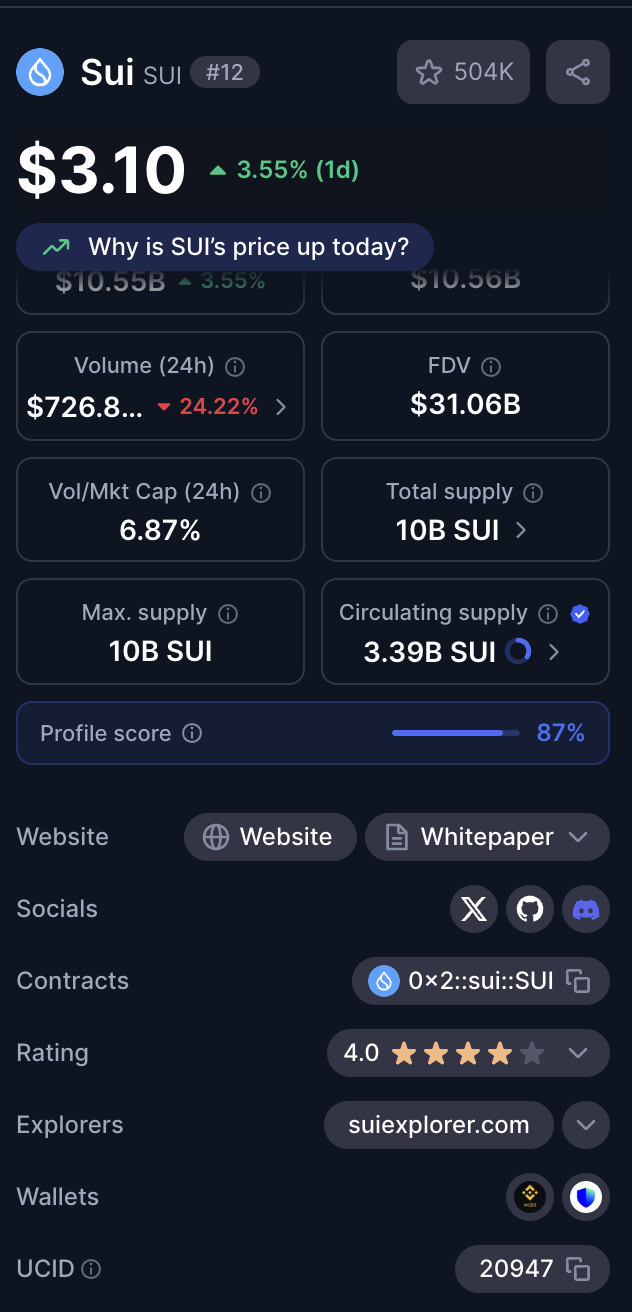
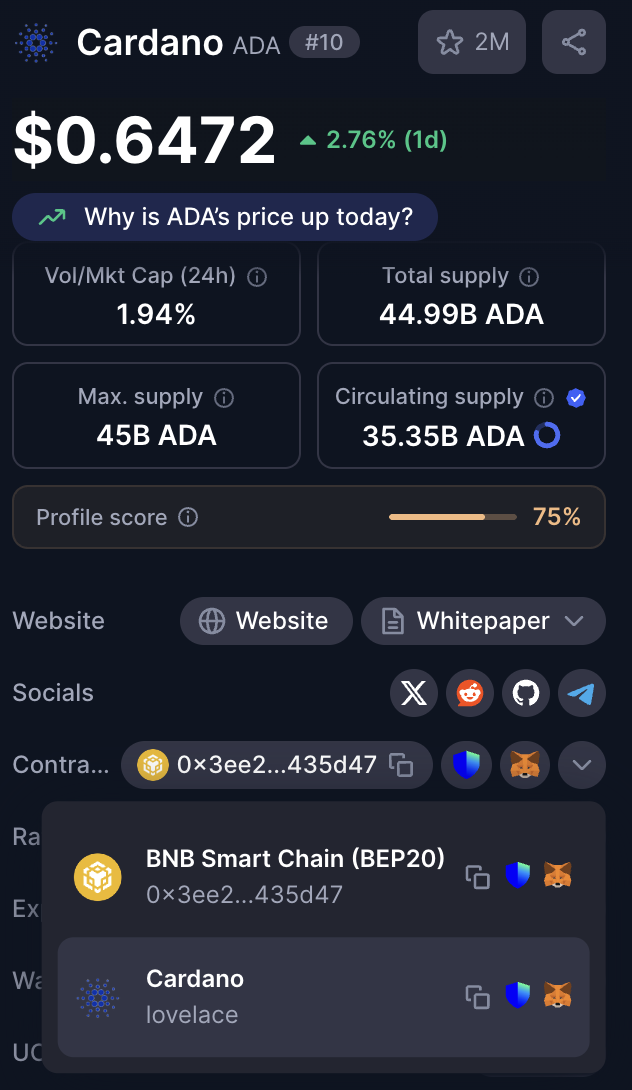
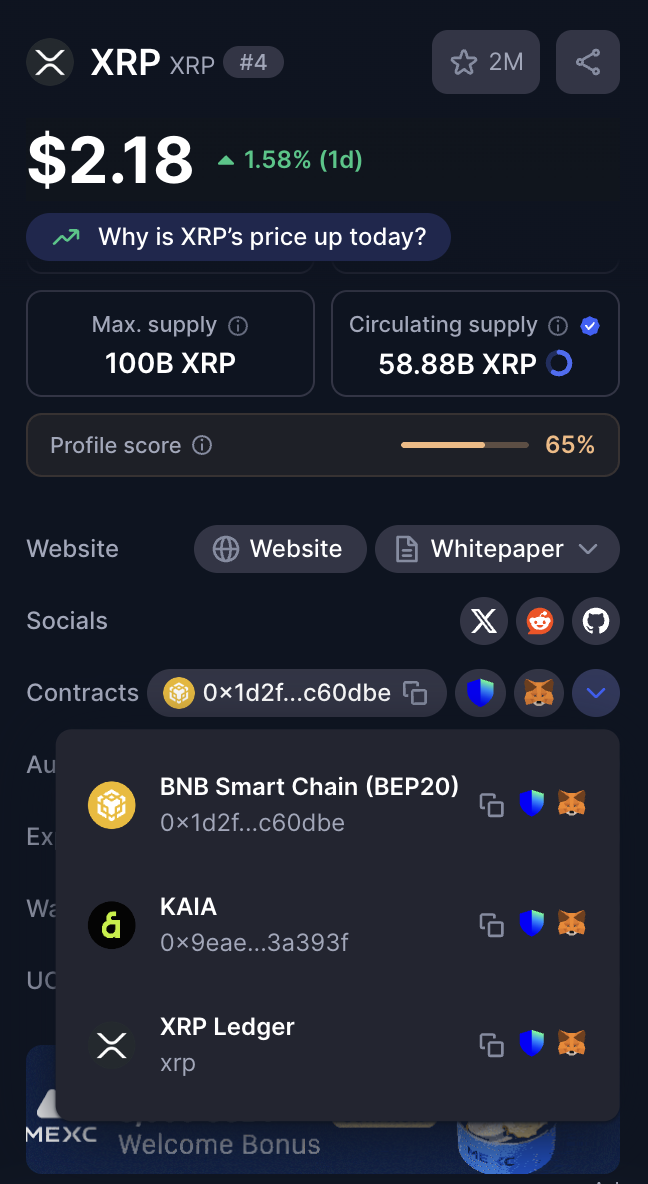
- Look for the "Contracts" section. For example, SUI has a Native Network (Contract) which is SUI, or ADA has a Native Network which is Cardano.
Checking on Exchanges
- Go to the Withdrawal page for that asset.
- Examine the available Networks.
- Read warnings and information provided by the Exchange.
- Compare fees for each Network.
Checking the Destination Wallet
- Confirm which Networks the Wallet supports.
- Hardware Wallets typically support multiple Networks.
- Software Wallets may have limitations in supported Networks.
Key Principle: If you want to send coins, you must correctly specify the destination Network according to your needs. For example, if you want to receive ADA coins on the Cardano Network, the destination must be the Cardano Network, and you must use the Cardano Network Address to receive coins from the sender.
Popular Digital Assets and Recommended Networks
Assets with a Single Network
|
Asset |
Network |
Note |
|
Bitcoin (BTC) |
Bitcoin |
Only one Network |
|
Dogecoin (DOGE) |
Dogecoin |
Only one Network |
Main Assets with Multiple Networks
|
Asset |
Main Network |
|
Ethereum (ETH) |
Ethereum |
|
BNB |
BSC |
|
Cardano (ADA) |
Cardano |
|
Solana (SOL) |
Solana |
|
Polkadot (DOT) |
Polkadot |
|
Avalanche (AVAX) |
Avalanche |
|
Polygon (MATIC) |
Polygon |
|
Cosmos (ATOM) |
Cosmos |
Altcoins
|
Asset |
Main Network |
|
Terra Luna (LUNA) |
Terra 2.0 |
|
Terra Classic (LUNC) |
Terra Classic |
|
Near (NEAR) |
Near Protocol |
|
Fantom (FTM) |
Fantom |
|
Harmony (ONE) |
Harmony |
|
Aptos (APT) |
Aptos |
DeFi Tokens
|
Asset |
Main Network |
|
Uniswap (UNI) |
Ethereum |
|
PancakeSwap (CAKE) |
BSC |
|
Aave (AAVE) |
Ethereum |
|
Compound (COMP) |
Ethereum |
Meme Coins
|
Asset |
Main Network |
|
Shiba Inu (SHIB) |
Ethereum |
|
Pepe (PEPE) |
Ethereum |
|
Bonk (BONK) |
Solana |
Stablecoins
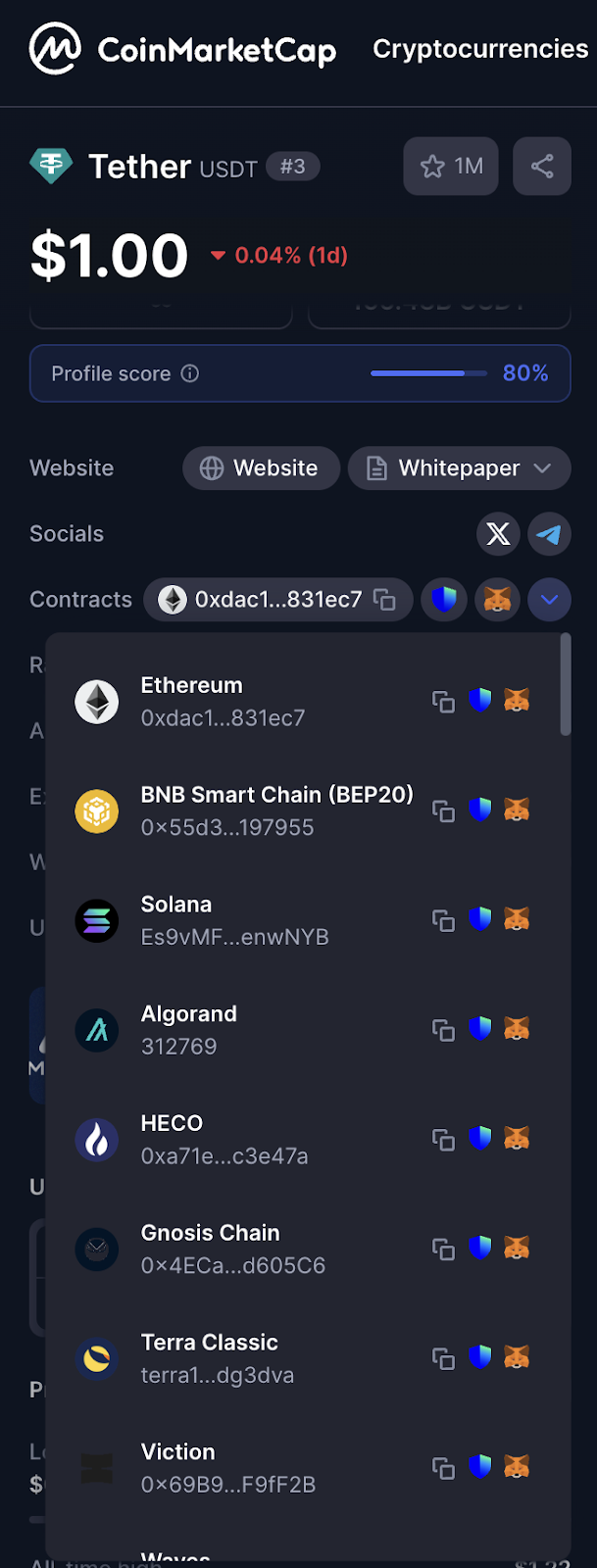
The choice of USDT Network depends on the user's purpose. As you can see, there are several Networks to choose from. It is essential to select the correct destination Address for the target transfer. For example, if you want to transfer USDT to the Solana Network, the Wallet address used must be a Solana address only, and don't forget to transfer the fees for each Network, such as SOL.
Long-Term Storage for Beginners
Reasons to Use the Main Network
Storing digital assets on the Network where they were originally developed ensures the assets are in the most secure and stable environment, without relying on central systems or conversion processes.
Storing on the main Network is like depositing money in a main bank, not a branch or agent.
- No reliance on bridging processes (no additional points of risk).
- Direct ownership of assets (not a Wrapped Token certificate).
Risks of Other Networks
Other Networks carry risks from bridging processes (connections between Blockchains) that may be susceptible to cyberattacks, rendering "wrapped" assets worthless because the original locked assets may be stolen or inaccessible.
Using other Networks is like storing money through an agent; if the agent experiences problems, the assets may be lost.
Statistics: Bridge attacks account for 69% of all attacks.
Value of damages: More than 2 billion USD (2022-2024).
Recovery rate: Less than 20%.
Storage Guidelines
Long-Term Storage
✅ Recommended: BTC → Bitcoin Address
✅ Recommended: ETH → Ethereum Address
✅ Recommended: ADA → Cardano Address
❌ Not Recommended: BTC → BSC (WBTC)
❌ Not Recommended: ETH → BSC (ETH, BEP-20)
Using DeFi
Main Network → Bridge → Secondary Network → Use → Bridge Back
Real-World Scenarios and Solutions
Scenario 1: Transferring Bitcoin to a Hardware Wallet
Recommendation: Bitcoin Network
Reason: Only one Network, highest security.
Scenario 2: Transferring USDT for Use in DeFi
Recommendation: Depends on the purpose of use. Cannot recommend a specific Network.
Scenario 3: Transferring Ethereum for Long-Term Storage
Recommendation: Ethereum Network
Reason: It is the Native Chain.
Scenario 4: Uncertainty in Selection
Solution:
-
Search for information on "[Asset Name] official website".
-
Check information on CoinMarketCap
-
Test with a small amount first.
Common Errors and Prevention
Serious Errors
- Sending to the wrong Network may result in lost assets or difficulty in recovery.
- An incorrect Address means sending to another recipient and cannot be recalled.
- Not testing means risking a significant loss on the first attempt.
Prevention Guidelines
Before Confirming a Transaction
- Double-check the Address.
- Double-check the Network.
- Double-check the asset amount.
- Consider carefully before confirming.
After Sending a Transaction
- Retain the Transaction ID.
- Wait for full confirmation.
- Check the balance at the destination.
Summary: 3 Key Principles
1. Security First
Beginners should always choose the main Network. Security is more important than saving on fees.
2. Test with a Small Amount First
Always test with a small amount first. Transfer 100-500 Baht initially; if successful, then send the desired amount.
3. When in Doubt, Ask
If you're unsure, don't guess. Feel free to ask the Community or Bitcast, or choose a primary Network.

แชร์:
8 giants that haven't acquired Bitcoin yet!?
5 Tips for Storing Seed Phrases for Beginners and Intermediates