


- Popular Misconception: A Hardware Wallet Is Not a Flash Drive
- If My Keys Can't Be Stolen, How Can Viruses Still Harm Me?
- 1) Clipboard Hijacker Malware
- 2) Display Manipulation
- 3) Fake Software & Phishing Pop-ups
- Summary Table: What Hardware Wallets Protect Against vs. What You Need to Watch Out For
- The Golden Rules for Using a Hardware Wallet Safely
- Rule 1: The Hardware Wallet Screen Is the "Only Truth" (Trust the Device Screen)
- Rule 2: Your Seed Phrase Should Only Be Written on Paper or Stored on Metal
- Rule 3: Carefully Check the Address, Not Just the First and Last Four Characters
- Summary
- Frequently Asked Questions (FAQ)
- Q1: If I Leave My Hardware Wallet Connected to My Computer via USB All the Time, Can a Virus Transfer Funds While I'm Asleep?
- Q2: Can a Virus Secretly Install Fake Firmware on My Hardware Wallet?
- Q3: Which Is More Vulnerable to Malware: Using a Computer or a Smartphone?
One of the most popular questions many people ask when they first start exploring self-custody is
"If my computer or smartphone is infected with a virus or malware, or has a Trojan horse hidden on it, can my Bitcoin or other crypto coins be stolen if I plug in a Hardware Wallet?"
The short, straightforward answer is:
"The private key inside the device is 100% secure, but your coins could still be stolen if you don't understand how viruses attack!"
That might sound contradictory, right? In this article, I'll walk you through how hardware wallets work, point out three major vulnerabilities that malware uses to steal funds, and share some simple golden rules that will keep your money safe, no matter how badly your computer is damaged by a virus.
Popular Misconception: A Hardware Wallet Is Not a Flash Drive
Many people think of hardware wallets as flash drives because they plug into a computer via USB. They assume that viruses can "jump across the cable" to infect the device or extract all its data just like regular files.
In reality, the security architecture of a hardware wallet is built on one of the most fundamental assumptions in cybersecurity:
"The computer or smartphone you connect to is always considered an untrusted host."
A hardware wallet is not a file storage device. It is a "completely isolated environment" that functions like a miniature computer. At its core is a processor designed specifically for encryption, such as a Secure Element (SE) chip.
When you connect a hardware wallet to a computer:
- The private key and seed phrase can never leave the device. The USB cable or Bluetooth connection acts only as a communication channel; it cannot read or extract the private key.
- The device does not run external code. Malware on your computer cannot force the hardware wallet to run malicious programs.
- Signing happens inside the device. The computer only sends a "raw transaction draft," and the hardware wallet applies a digital signature before sending only that signature back.
Therefore, even if your computer has a keylogger recording your keystrokes, screen-recording software, or remote-access Trojans, those viruses can never see or steal the private key from the device.
If My Keys Can't Be Stolen, How Can Viruses Still Harm Me?
Knowing that hackers cannot directly breach a hardware wallet's chip, they have shifted their focus from "hacking the system" to "exploiting human error" by taking advantage of user carelessness. There are three main types of attacks that are most common:
1) Clipboard Hijacker Malware
This is the number one threat on computers and smartphones. When you press Ctrl+C or copy the destination address you want to send funds to, malware hidden on your device immediately detects the text pattern. When you press Ctrl+V to paste it into an app, it seamlessly replaces it with the hacker's address.
2) Display Manipulation
Advanced malware can interfere with wallet software on your computer, such as MetaMask, or with your web browser. Your computer screen might show that you are sending 0.1 BTC to your friend, but the actual code sent to the hardware wallet for signing specifies that you are sending 5 BTC to the hacker.
3) Fake Software & Phishing Pop-ups
A virus may trigger a fake alert window on your computer screen, such as "An error has been detected. Please type your 12- or 24-word recovery seed into the keyboard to sync your wallet."
The moment you type those words into your computer keyboard, your hardware wallet's security becomes worthless. The hacker has obtained your master key directly from your keyboard without ever needing to touch the hardware wallet.
Summary Table: What Hardware Wallets Protect Against vs. What You Need to Watch Out For
To make the differences clearer, I have summarized the scope of protection in this table:
| Threat / Attack Scenario | Can a virus on your computer/smartphone succeed? | Can a hardware wallet protect against it? | Correct way to respond |
|---|---|---|---|
| Stealing the private key/seed phrase via USB | No | Yes |
The security chip prevents the key from leaving the device |
| Screen recording or keylogging | No | Yes |
Confirmation and PIN entry on the hardware wallet |
| Virus automatically sends a transfer command | No | Yes |
You must always physically press the confirmation button on the device |
| Clipboard hijacker swaps the address during copy-paste | Possible | Yes, if the user checks |
Always check the address on the hardware wallet screen |
| Tricking you into typing your 12- or 24-word seed phrase into your computer | Immediate success | No protection | Never type your seed phrase into a computer or smartphone |
| Accidentally approving a malicious smart contract (Blind Signing) | Immediate success | No protection | Research before signing and avoid approving unknown websites |
The Golden Rules for Using a Hardware Wallet Safely
Even if your computer or smartphone is infected with a virus, following these three golden rules will help reduce the risk to your funds.
Rule 1: The Hardware Wallet Screen Is the "Only Truth" (Trust the Device Screen)
In the crypto world, there is a principle called WYSIWYS (What You See Is What You Sign). This means you should never trust whatever is displayed on your computer screen.
- Look away from your computer and read the information on the hardware wallet screen only.
- Check that the destination address matches the person you want to send funds to. Are the amount and fee correct? Only press the confirmation button if everything on the device screen matches.
Rule 2: Your Seed Phrase Should Only Be Written on Paper or Stored on Metal
Always remember: "There is no situation in the world where a hardware wallet will ask you to type your 12- or 24-word seed into a computer or smartphone." Whether it is a firmware update, app connection, or wallet recovery, everything must be done using the device's screen and buttons. If any window pops up asking you to type words, know immediately that it is malware or phishing.
Rule 3: Carefully Check the Address, Not Just the First and Last Four Characters
Modern malware uses a technique called address poisoning, which can create a fake wallet address with the exact same first four and last four characters as yours to deceive you. Therefore, when checking an address on the device screen, always check the characters in the middle of the address as well.
Summary
In traditional finance, we trust intermediaries like banks. But in the world of Bitcoin and self-custody, the most important principle is "Don't Trust, Verify."
Hardware wallets were created to address the vulnerabilities of general-purpose devices like computers and smartphones, which have complex operating systems and are easily infected with malware. Using a hardware device is like building an "offline fortress" between our coins and an internet full of traps.
However, a device can only be perfect if we do not lower our own defenses. Many people buy a hardware wallet but fall victim simply because of the "habit" of confirming without reading the device screen. Therefore, as long as you make checking the device screen a habit, you can use crypto with peace of mind, truly free from worry about viruses on your computer.
Have any of you ever had a strange experience, such as copying an address and seeing the characters change? Or do you have questions about the security of storing your private keys? Feel free to comment and share your thoughts below!
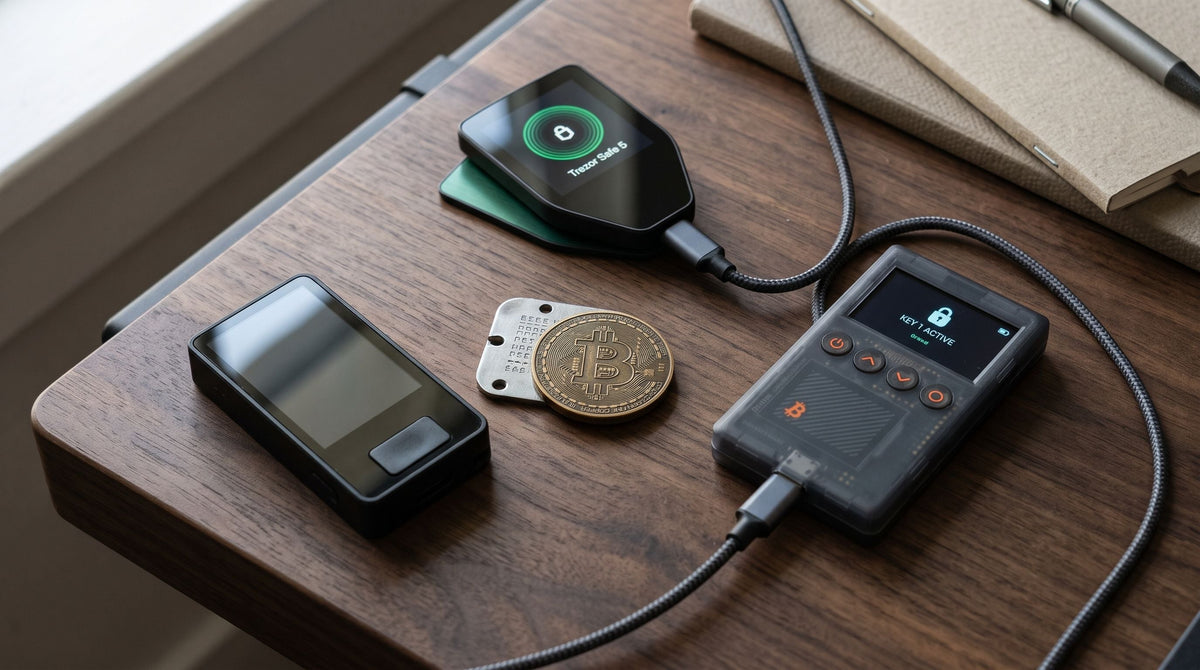
For those looking for a hardware wallet with a clear display that supports confident transaction verification, such as the Trezor Safe 3, Trezor Safe 5, or OneKey Classic 1S, you can browse and compare various models at the Bitcast Hardware Wallet Collection or contact our team directly via LINE Official Account: @bitcast. Our admins are happy to guide you through every step.
Frequently Asked Questions (FAQ)
Q1: If I leave the hardware wallet's USB cable plugged into my computer all the time, can a virus transfer my funds while I'm asleep?
No. Every transaction on a hardware wallet requires a "Physical Button Press" on the device itself. A computer virus cannot physically press the button for you. However, we recommend disconnecting the device and storing it in a safe place once you have completed your transaction.
Q2: Can a virus secretly install fake firmware on a hardware wallet?
It is extremely difficult, if not impossible. Standard devices today, such as the Trezor, Jade, or OneKey series, feature Cryptographic Bootloader Verification. If the code is not digitally signed by the manufacturer, the device will immediately reject the installation or display a warning message indicating that the firmware has been tampered with.
Q3: Which is more vulnerable to malware: using a hardware wallet with a computer or a smartphone?
Computers (especially Windows) are more susceptible to clipboard hijacker malware or Trojans that download pirated files. However, smartphones also carry risks from fraudulent money-draining apps and sideloaded APKs from outside app stores. Regardless of which device you connect to, the most important rule remains the same: always verify the transaction details on the hardware wallet's screen.

แชร์:
Travel Rule is in effect. Is it still necessary to self-custody Bitcoin? A deep dive into rights and facts.
Storing your Seed Phrase by "memorizing" it instead of "writing it down": Is it really safe, or does it just feel safe?