



- What Is a Cold Wallet, and How Is It Different from a Hot Wallet?
- Key Differences Between Cold Wallets and Hot Wallets
- What Is a Hardware Wallet and How Does It Work?
- Essential Components of a Hardware Wallet
- Why Crypto Investors Should Use a Hardware Wallet
- Avoidable Cyber Threats
- How to Choose the Right Hardware Wallet
- Popular Hardware Wallet Brands
- Getting Started with a Hardware Wallet
- Initial Setup and Creating Your Seed Phrase
- Testing the Recovery Process
- Transferring Assets to Your Hardware Wallet Safely
- Create an Address and Verify It
- Send a Small Test First
- Cautions and Common Mistakes
- What to Do If Your Device Is Lost or Damaged
- Single-Signature vs Multi-Signature Storage
- Pros and Limitations of Multisig
- Maintaining and Updating Your Hardware Wallet
- Updating Firmware Safely
- Alternatives to Hardware Wallets
- Bitcast’s Role in Supporting Hardware Wallet Users
- Learning Resources from Bitcast
- Frequently Asked Questions About Hardware Wallets
- Does Everyone Need a Hardware Wallet?
- What Happens If I Forget My Hardware Wallet PIN?
- Can a Hardware Wallet Be Hacked?
- Do I Need the Internet to Use a Hardware Wallet?
- Can I Use a Hardware Wallet with DeFi and NFTs?
- The Future of Digital Asset Custody
- Rising Education and Awareness
- Conclusion: Why Hardware Wallets Are Essential for Crypto Investors
As digital assets become a core part of more people’s portfolios, every crypto investor should ask: “What’s the safest way to store my assets?” Choosing the right storage method isn’t only about preventing cyberattacks—it’s about true ownership and control of your assets without relying on any third party.
What Is a Cold Wallet, and How Is It Different from a Hot Wallet?
A cold wallet is a way to store your private keys for digital assets in an environment that’s completely offline. This is the opposite of a hot wallet, which remains connected to the internet. By staying off the network, cold wallets offer significantly higher security.
The core principle of a cold wallet is keeping critical information in an offline environment so hackers and malware can’t access it over the internet. Even if your computer or phone is infected, your private keys remain secure inside the cold wallet device.
Key Differences Between Cold Wallets and Hot Wallets
A hot wallet is like the everyday wallet in your pocket—fast and convenient for spending, but riskier if lost or stolen. Examples include exchange wallets or mobile apps you use daily. They’re best for smaller amounts you transact with frequently.
A cold wallet, by contrast, is like a safe at home. Access may take longer, but your assets get maximum protection. It’s ideal for long-term storage (HODL) and higher-value holdings.
What Is a Hardware Wallet and How Does It Work?
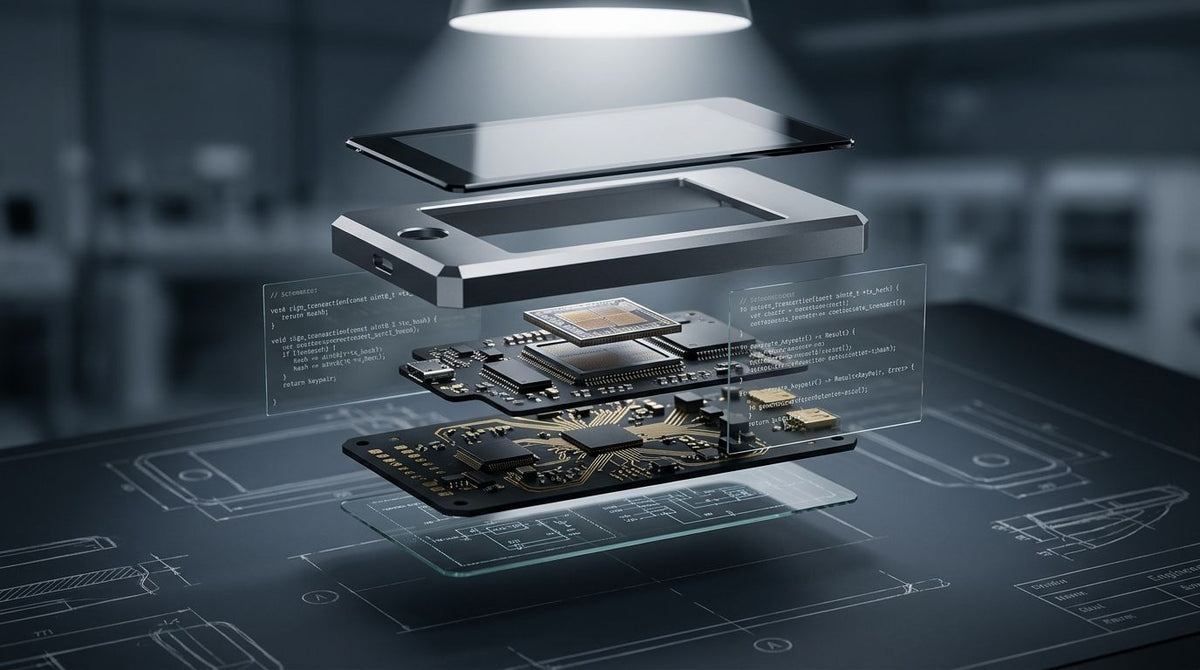
A hardware wallet is a small, purpose-built electronic device that stores your private keys. Keys are generated and held inside a Secure Element chip, making them non-extractable—even when the device is connected to a computer.
While the internal mechanisms are sophisticated, using a hardware wallet is simple. You create a transaction on an internet-connected computer or phone, then send it to the hardware wallet to sign with your private key. The signing happens only inside the device—your private keys never leave it.
Essential Components of a Hardware Wallet
A quality hardware wallet includes several key elements: a bank-grade Secure Element chip with international certifications like CC EAL5+, a display for reviewing transaction details, physical confirmation buttons, and open-source software so the community can audit its security.
A standout feature is generating and storing a Seed Phrase (Recovery Phrase)—typically 12 or 24 English words created randomly per the BIP39 standard. This phrase is the master key to restore all your assets if the device is lost or damaged.
Why Crypto Investors Should Use a Hardware Wallet
Holding cryptocurrency doesn’t always mean full ownership. The crypto world has a simple rule: “Not your keys, not your coins.” If you don’t hold the private keys, you don’t truly own the coins.
When you keep assets on an exchange, you’re trusting a third party. History shows even major platforms can be hacked or go bankrupt—think Mt. Gox, QuadrigaCX, and FTX—costing users billions of dollars.
Owning your private keys makes you your own bank. You gain maximum authority—and responsibility—for safeguarding your assets.
Avoidable Cyber Threats
Hardware wallets protect against many threats, including phishing (fake sites asking for sensitive info), malware capturing data on your computer, man-in-the-middle attacks that intercept communications, and SIM swapping that hijacks phone numbers to breach accounts.
Even if hackers fully control your computer, they can’t move funds without your physical confirmation on the hardware wallet’s buttons. This is why hardware wallets are considered the gold standard for crypto storage.
How to Choose the Right Hardware Wallet
The hardware wallet market ranges from beginner-friendly models to advanced devices for power users. Consider several critical factors to match your needs and desired level of security.
| Factors to consider | Details | Importance |
|---|---|---|
| Secure element | Should include a certified Secure Element | Highest |
| Supported coins | Supports the blockchains and tokens you hold | High |
| Open-source software | Code is open for community auditing | High |
| Brand reputation | Manufacturer's track record and credibility | High |
| Price and value | Appropriate for the value you’ll store | Medium |
| Ease of use | Intuitive interface, clear documentation | Medium |
Popular Hardware Wallet Brands
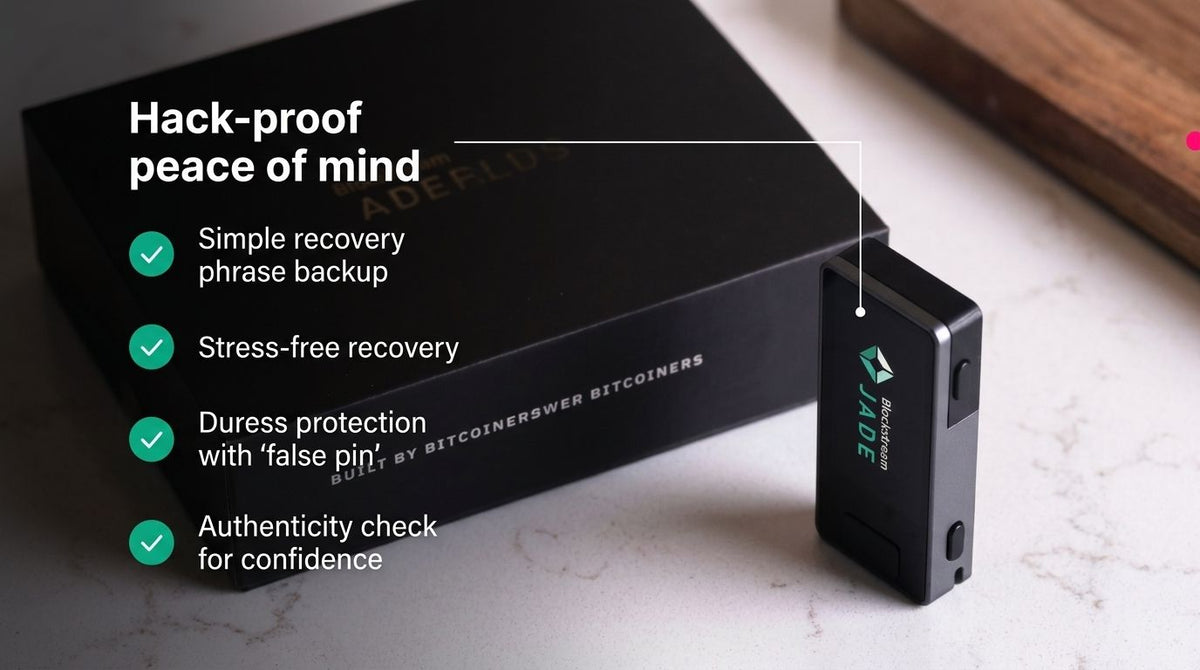
Leading brands include Ledger, known for broad coin support and a large user base; Trezor, a pioneer that emphasizes transparency with fully open-source software; and BitBox02, which favors a minimalist design with maximum security.
Most importantly, buy only through official channels. Avoid secondhand markets or untrusted sellers because devices may be tampered with to steal your data. Trusted retailers such as Bitcast sell only genuine products directly from licensed brands.
Getting Started with a Hardware Wallet
First-time setup can look complex, but following the steps carefully will keep you safe. The initial process is crucial—it underpins all of your security.
Initial Setup and Creating Your Seed Phrase
When unboxing, inspect the packaging for tampering. Quality devices use tamper-evident stickers or seals. If anything looks off, contact the seller immediately.
Connect the device to your computer or phone and download only the official software from the manufacturer’s website. The system will guide you to create a new wallet. At this point, the device will generate your Seed Phrase.
Record the Seed Phrase by hand on paper or a recommended metal backup. Never store it digitally—no photos, files, or cloud notes. Write every word in order and verify it at least three times.
Testing the Recovery Process
A commonly skipped but critical step is testing recovery before transferring significant funds. Reset the device and restore it with your recorded Seed Phrase to confirm it’s correct. If recovery fails, your notes are wrong—start over immediately.
Once you’ve confirmed recovery works, store the Seed Phrase securely, separate from the device. Consider multiple copies in different locations—e.g., one in a home safe and another with a trusted person.
Transferring Assets to Your Hardware Wallet Safely
After setup, transfer assets from an exchange or another wallet to your hardware wallet with extra care to avoid irreversible mistakes.
Create an Address and Verify It
Open the wallet management app, choose the blockchain (e.g., Bitcoin or Ethereum), and generate a receiving address. The address appears on both your computer and the hardware wallet’s screen.
Always verify the address on the hardware wallet’s display matches the one on your computer. Some malware can replace addresses on your computer but not on the device. Check at least the first 4–6 and last 4–6 characters.
Send a Small Test First
Before sending a large amount, always start with a small test. For example, if you plan to send 1 BTC, begin with 0.001 BTC, wait for confirmations on-chain, and confirm it shows in your hardware wallet.
This may cost a bit more in network fees, but it’s cheap insurance against sending to the wrong address or wrong network—and losing everything.
Cautions and Common Mistakes
Hardware wallets are very secure, but user mistakes can still cause loss. Knowing what not to do is as important as knowing how to use the device.
- Never share your Seed Phrase. No legitimate company or support team will ever ask for it.
- Never store your Seed Phrase digitally—no photos, emails, or any cloud service.
- Never buy a used hardware wallet or from unofficial channels.
- Ignore messages claiming to be from the manufacturer asking you to enter your Seed Phrase on a website.
- Always verify the receiving address on the device screen before confirming any transaction.
- Don’t skip device firmware updates when a new version is released.
What to Do If Your Device Is Lost or Damaged
If your hardware wallet is lost or damaged, don’t panic—provided you’ve stored your Seed Phrase safely. You can buy a new device (or use a different brand that supports BIP39) and recover your wallet with your recorded phrase.
The recovery process recreates your original private keys from the Seed Phrase, restoring full access to all assets. This is why the Seed Phrase matters far more than the device itself—the device is just a tool; the Seed Phrase is the real key to your assets.
If you suspect theft and think someone might try to guess your PIN, move your funds to a new wallet created from a brand-new Seed Phrase as quickly as possible. Most hardware wallets will wipe themselves after multiple wrong PIN attempts, but don’t take chances.
Single-Signature vs Multi-Signature Storage
Most hardware wallets use single-signature (single-sig), meaning one private key authorizes a transaction. This standard approach suits most users. For maximum security, multi-signature (multisig) can be a better option.
Multisig requires multiple keys to approve a transaction. For example, 2-of-3 means there are three keys total, but any two are needed to spend. You might keep one key at home, one in a bank safe, and entrust one to a reliable third party.
Pros and Limitations of Multisig
The main benefit is risk distribution. Even if one key is lost, funds remain safe, and attackers must breach multiple locations to steal assets—ideal for organizations or very large holdings.
Limitations include more complex setup and use, higher transaction fees, and reduced compatibility with some services. For beginners or moderate holdings, a quality hardware wallet with single-sig is usually sufficient.
Maintaining and Updating Your Hardware Wallet
A hardware wallet isn’t “set it and forget it.” Ongoing care and updates are key to security. Manufacturers release firmware updates to patch vulnerabilities and add features.
Updating Firmware Safely
When new firmware is available, download it only from the official website or app. Verify the file’s digital signature and read the changelog to understand what’s changed.
Before updating, ensure you still have your Seed Phrase securely stored. Updates can occasionally fail, requiring a recovery. After updating, confirm your balances display correctly and perform a small test transaction.
Alternatives to Hardware Wallets
While hardware wallets are the safest choice for most, other cold storage methods exist—each with trade-offs.
A Paper Wallet prints your public and private keys on paper, often as QR codes. It’s cheap and has no electronics to fail, but paper can degrade and ink can fade. To spend, you must import the private key into software—instantly turning it into a hot wallet with added risk.
A Steel (Metal) Wallet engraves your Seed Phrase onto metal that resists water, fire, and physical damage. It’s best for backing up a Seed Phrase rather than serving as a primary wallet. Many users pair it with a hardware wallet to ensure the Seed Phrase survives even severe emergencies.
Bitcast’s Role in Supporting Hardware Wallet Users
Buying a hardware wallet is only the beginning. The real challenge for newcomers is learning to use it correctly and safely. Bitcast understands that new investors often worry about mistakes that could cost them assets.
That’s why Bitcast doesn’t just distribute high-quality hardware wallets from official brands; it also provides free guides and online workshops covering every step—from choosing the right device and first-time setup to securely transferring assets.
Learning Resources from Bitcast
Bitcast’s hardware wallet buyer’s guide helps you understand model differences and pick one that fits your needs and budget. Hands-on transfer workshops walk you through every step—from creating a wallet to executing real transactions—so you’re confident before handling real funds.
Access to clear, accurate knowledge helps users feel confident managing their own digital assets instead of relying on third parties that introduce risk.
Frequently Asked Questions About Hardware Wallets
Does Everyone Need a Hardware Wallet?
If your crypto is significant to your finances or you plan to hold long term, a hardware wallet is a worthwhile investment. For small balances and frequent trading, a well-secured hot wallet may suffice. As a rule, avoid keeping large amounts on exchanges.
What Happens If I Forget My Hardware Wallet PIN?
Forgetting your PIN locks you out of the device, but your funds aren’t lost. As long as you have the Seed Phrase, you can reset and fully restore your wallet. This is why the Seed Phrase is paramount—PINs alone aren’t enough.
Can a Hardware Wallet Be Hacked?
Nothing is 100% secure in theory, but quality hardware wallets are extremely hard to hack. Successful attacks typically require physical access, expensive equipment, and expert skills—usually not worth it for average targets. The real risk is user error, like being tricked into revealing your Seed Phrase.
Do I Need the Internet to Use a Hardware Wallet?
The hardware wallet itself doesn’t need internet, but your computer or phone does to communicate with the blockchain. Your computer creates a transaction and sends it to the device for offline signing. The signed transaction is then broadcast from your computer. This keeps your private keys fully isolated from the online environment.
Can I Use a Hardware Wallet with DeFi and NFTs?
Absolutely. Modern hardware wallets connect to DeFi apps via WalletConnect or browser extensions. You can use protocols like Uniswap, Aave, or Compound while keeping keys secured in the hardware wallet. For NFTs, you can buy, sell, and transfer while storing them at an address controlled by your device.
The Future of Digital Asset Custody
Hardware wallet technology keeps evolving—aiming for stronger security and simpler UX. Trends include biometrics like fingerprint sensors, secure Bluetooth support, and larger touchscreens for clearer information.
Another key trend is new recovery standards such as SLIP39 (Shamir’s Secret Sharing), which splits a Seed Phrase into multiple shares. You might require any 3 of 5 shares to recover—tolerating the loss of one or two shares while remaining recoverable.
Rising Education and Awareness
The biggest barriers to wider adoption are perceived complexity and lack of knowledge. Expect more accessible educational resources, better local-language support, and communities that actively help newcomers.
Organizations like Bitcast bridge this gap by providing not only quality devices but also the knowledge and support users need to feel confident managing their own digital assets. Accessible, accurate education is key to mainstream hardware wallet adoption.
Conclusion: Why Hardware Wallets Are Essential for Crypto Investors
In crypto, you are your own bank—security rests with you. A hardware wallet isn’t a nice-to-have; it’s a foundational tool for anyone serious about cryptocurrency investing.
Understanding what a cold wallet is and why hardware wallets are the best form of cold storage will help you make informed decisions. The peace of mind from knowing your assets are protected from cyberattacks, platform failures, and third-party mistakes is worth far more than the device’s price.
Getting started may feel daunting, but with the right resources and step-by-step guidance, anyone can learn to use a hardware wallet confidently. A small investment in a device—and in learning—today can prevent major losses tomorrow.
Always remember: in crypto, you’re ultimately responsible for your assets. Owning a hardware wallet and knowing how to use it properly makes “be your own bank” safe and sustainable.
แชร์:
Transferring BTC to an exchange, 26 million baht gone in just 12 hours, all because of one mistake with Google Authenticator.
What is 2FA? What types are there? Diving into Cloud Sync risks that render your 2FA effectively useless.