


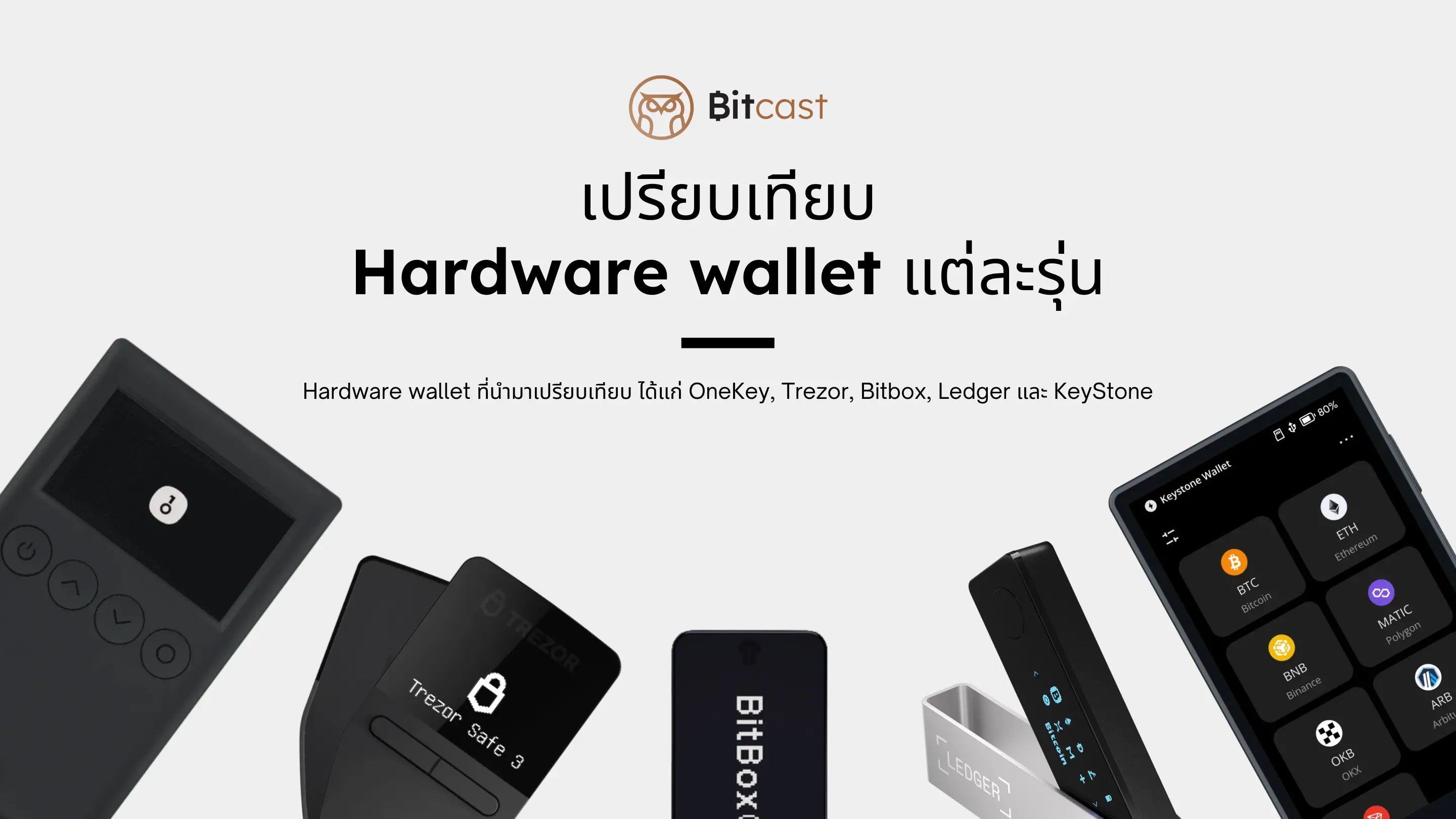
Many people reading this article are probably wondering, "Which hardware wallet is right for me?" Or if you don't know what a hardware wallet is yet, I recommend watching this video first.
Many people have messaged me asking which Hardware Wallet they should buy. There are many brands of hardware wallets to choose from, so I wrote this article to help you choose a hardware wallet that suits your needs.
👉If you want an overview first, I recommend downloading the comparison file here.
✅ Who is this post for?
Before reading further, I'd like to briefly explain that this article is suitable for beginners who are deciding on their first Hardware Wallet and want to know which features each model offers that might suit them. For example, beginners looking for an entry-level Hardware Wallet on a budget, or experienced users looking to purchase an additional one.
📍 Why choose OneKey, Trezor, Bitbox, Ledger, and KeyStone for comparison?
Because they are widely popular brands, and many models have similar features, making it difficult to decide which to buy. A comparison table might help clarify things.
👉 Start Hardware Wallet Comparison
When it comes to Hardware Wallets, many in the crypto community are familiar with brands like Trezor, Ledger, KeyStone, or newcomers like OneKey. For this Hardware Wallet comparison, I’ve chosen models that many people requested to be compared, based on a survey from my page. This article will compare 10 Hardware Wallet models from 5 popular brands.
Topics for this Hardware Wallet comparison
I’ve divided it into 8 main parts, using ✅ for features that are present or supported, and ❌ for those that are not. The 8 topics are:
- Usage Support
- Coin & Token Support
- Battery
- Connectivity
- Firmware
- Mobile App
- General Information
- Screen
Let’s start with topic 1.
1. Comparison of Usage Support
I chose usage support first because when selecting a Hardware Wallet, it's crucial to understand your own usage habits. For example, do you primarily use it on your mobile phone or desktop? Or what type of wallet functionality do you need?
Comparison table for Hardware Wallet models 1-5
|
|
|
|
Trezor |
Trezor |
|
| Use with mobile | ✅ | ✅ | ❌ | ❌ | ❌ |
| Use with computer | ✅ | ✅ | ✅ | ✅ | ✅ |
| Use Dapp on mobile | ✅ | ✅ | ❌ | ❌ | ❌ |
|
Use Metamask on mobile |
❌ | ✅ | ❌ | ❌ | ❌ |
|
Fingerprint Lock |
❌ | ✅ | ❌ | ❌ | ❌ |
|
U2F Authentication |
✅ | ✅ | ✅ | ✅ | ✅ |
|
FIDO 2FA |
✅ | ✅ | ✅ | ✅ | ✅ |
|
Supported Wallets on Desktop |
MetaMask, OKX, Phantom, Sparrow, Rabby, and More | MetaMask, OKX, Phantom, Sparrow, Rabby, and More | Electrum, MetaMask, Rabby, Bitcoin Core, BlueWallet, Sparrow, and More | Electrum, MetaMask, Rabby, Bitcoin Core, BlueWallet, Sparrow, and More | Electrum, MetaMask, Rabby, Bitcoin Core, BlueWallet, Sparrow, and More |

 OneKey Pro


Comparison table for Hardware Wallet models 6-10
|
|
|
|
|
BitBox02 |
|
| Mobile compatibility | ✅ | ❌ | ✅ | ✅ | ❌ |
| Desktop compatibility | ✅ | ✅ | ✅ | ✅ | ✅ |
|
Dapp usage |
✅ | ❌ | ✅ | ✅ | ❌ |
|
Metamask |
✅ | ❌ | ✅ | ✅ | ❌ |
|
Fingerprint lock |
✅ | ❌ | ❌ | ❌ | ❌ |
|
U2F Authentication |
✅ | ✅ | ✅ | ✅ | ✅ |
|
FIDO 2FA |
✅ | ✅ | ✅ | ✅ | ✅ |
|
Supported Wallets on Desktop |
MetaMask, Rabby, OKX, Keplr, Sparrow, BlueWallet, Nunchuk, and More | Ledger Live, MyEtherWallet, Rainbow, Zerion, MetaMask, MyCrypto, and More | Ledger Live, MyEtherWallet, Rainbow, Zerion, MetaMask, MyCrypto, and More | Ledger Live, MyEtherWallet, Rainbow, Zerion, MetaMask, MyCrypto, and More |
BitBoxApp, Electrum, Specter, Sparrow, Rabby, MyEtherWallet, and More |

 Ledger


To summarize this section, if you're looking for a hardware wallet that supports mobile usage and costs under 6,000 Baht, I recommend the OneKey Classic 1S and Keystone 3 Pro. If you primarily use a desktop, I recommend starting with the OneKey Classic 1S and Trezor Safe 3.
2. Comparison of Coin & Token Support
For those who don't understand the difference between Coin and Token, you can refer to this article. Many people frequently ask about Coin and Token support and if a specific coin is supported. All models mentioned in this article support Bitcoin. For Alt-coins (other coins or tokens), please refer to the table below.
Comparison table of Hardware Wallet models 1-5
|
|
|
|
Trezor |
Trezor |
|
|
Example Alt Coins Supported (Other Supported Coins) |
ETH, USDT, BNB, SHIB, Matic, more Coin & Token |
ETH, USDT, BNB, SHIB, Matic,more Coin & Token |
ETH,USDT, BNB,DOGE, SHIB,Matic, SOL,WBTC, More | ETH,USDT, BNB,DOGE, SHIB,Matic, SOL,WBTC, More | ETH,USDT, BNB,DOGE, SHIB,Matic, SOL,WBTC, More |
|
Bitcoin Support |
✅ | ✅ | ✅ | ✅ | ✅ |
Hardware wallet comparison table for models 6-10
|
|
|
|
|
BitBox02 Multi |
|
|
Supported Alt Coin Examples (Other supported coins) |
ETH,USDT, BNB, SHIB, Matic,Doge |
ETH, USDT, BNB, XRP, ADA, OGE, SHIB, Matic, More | ETH, USDT, BNB, XRP, ADA, OGE, SHIB, Matic, More | ETH, USDT, BNB, XRP, ADA, OGE, SHIB, Matic, More | ETH, USDT, BNB, XRP, ADA, OGE, SHIB, Matic, More |
| Bitcoin Support | ✅ | ✅ | ✅ | ✅ | ✅ |
To summarize this section, I do not recommend any particular model. Since each device supports different coins, if you need to store a specific coin, please check the official website of each brand to confirm before purchasing.
3. Battery Comparison
Having a battery means you don't need to connect a USB cable to another power source to use your Hardware Wallet, which also enables Bluetooth connection with mobile phones.
Hardware wallet comparison table for models 1-5
|
|
|
|
Trezor |
Trezor |
|
| Battery | ✅ | ✅ | ❌ | ❌ | ❌ |
|
Battery Size |
110 | 530 | ❌ | ❌ | ❌ |
Hardware wallet comparison table for models 6-10
|
|
|
|
|
BitBox02 Multi |
|
| Battery |
✅ |
❌ | ✅ | ✅ | ❌ |
|
Battery size (mAh) |
1000 | ❌ | 100 | 200 | ❌ |
To summarize this section, the model with the largest battery capacity is the Keystone 3 Pro, which will last the longest compared to all brands. If you think the price is still too high, the entry-level option I recommend is the OneKey classic 1S.
4. Comparison of connectivity with other devices
Table 1: Comparison of Hardware Wallet Models 1-5
|
|
|
|
Trezor |
Trezor |
|
| USB Cable Type | USB-C | USB-C | Micro USB | USB-C | USB-C |
| Bluetooth | ✅ | ✅ | ❌ | ❌ | ❌ |
| NFC | ❌ | ✅ | ❌ | ❌ | ❌ |
|
MicroSD card |
❌ | ❌ | ❌ | ❌ | ✅ |
|
QR scanner |
❌ | ✅ | ❌ | ❌ | ❌ |
|
AIR-GAPPED |
❌ | ✅ | ❌ | ❌ | ❌ |
Table 2: Comparison of Hardware Wallet Models 6-10
|
|
|
|
|
BitBox02 |
|
| USB Cable Type | USB-C | USB-C | USB-C | USB-C | USB-C |
| Bluetooth | ✅ | ❌ | ✅ | ✅ | ❌ |
|
NFC |
✅ | ❌ | ❌ | ❌ | ❌ |
|
MicroSD card |
✅ | ❌ | ❌ | ❌ | ✅ |
|
QR scanner |
✅ | ❌ | ❌ | ❌ | ❌ |
|
AIR-GAPPED |
✅ | ❌ | ❌ | ❌ | ❌ |
To summarize, in this section, it is clear that the devices with the most diverse features are the 2 models: Keystone 3 Pro and OneKey Pro. The key feature is the QR scanner, which allows us to scan QR codes in Metamask or other wallets.
5. Hardware Wallet Software Comparison
Secure Element Chip and Open Source come first. Explained in simple terms:
Secure Element Chip is a design that makes Hardware Wallets more secure. The function of a Secure Element Chip is to store highly confidential information, which typically includes the Seed Phrase or Master Private Key.
Open Source refers to whether the Source Code that develops the Hardware Wallet is publicly accessible or not, to demonstrate transparency and allow everyone to collectively review the Hardware Wallet's Source Code.
Comparison table of Hardware wallet models 1-5
|
|
|
|
Trezor |
Trezor |
|
| Bitcoin-Only Firmware | ❌ | ❌ | ✅ | ✅ | ✅ |
| Firmware Upgrade |
Online Upgrade via USB, Bluetooth |
Online Upgrade via USB, Bluetooth |
Online Upgrade via USB |
Online Upgrade via USB |
Online Upgrade via USB |
| Open Source | ✅ | ✅ | ✅ | ✅ | ✅ |
|
Random PIN Display |
✅ | ✅ | ✅ | ✅ | ✅ |
|
Secure Element Chip (Chips) |
Certified |
4 Certified Chips EAL6+ |
❌ |
Certified Chip EAL6+ |
❌ |
|
Support Multiple Seed Phrases |
❌ | ❌ (In Development) |
❌ | ❌ | ❌ |
Hardware Wallet Comparison Table Models 6-10
|
|
|
|
|
BitBox02 |
|
| Bitcoin-Only Firmware | ✅ | ❌ | ❌ | ❌ | ❌ |
| Firmware Upgrade | Offline upgrade via MicroSD Card |
Online upgrade via USB |
Online upgrade via USB, Bluetooth |
Online upgrade via USB, Bluetooth |
Online upgrade via USB |
|
Open Source |
✅ | Partial | Partial | Partial | ✅ |
|
Random PIN |
✅ | ✅ | ✅ | ✅ | ❌ |
|
Secure Element Chip (Chips) |
3 Certified Chips EAL6+ |
Certified Chip EAL6+ |
Certified Chip EAL5+ |
Certified Chip EAL6+ |
✅ |
|
Supports Multiple Seed Phrases |
3 | ❌ | ❌ | ❌ | ❌ |
Regarding the security of Hardware Wallets, security and transparency should come first. The admin would like to divide the opinion into 2 parts. The first part is the group that has disclosed their Source Code, which gives them more credibility than the other group. Therefore, I will only recommend those that have disclosed their Source Code.
6. Mobile Application
Having an Official Application on your mobile phone makes it easier to perform certain transactions, such as using some Dapps, quickly checking your portfolio, and receiving notifications for various transactions. However, even without the application, you can still check your portfolio or receive transaction notifications. We can also use other portfolio tracking apps available in the market.
Hardware Wallet Comparison Table Models 1-5
|
|
|
|
Trezor |
Trezor |
|
| Android App | OneKey App | OneKey App | Trezor Suite | Trezor Suite | Trezor Suite |
|
iOS App |
OneKey App | OneKey App | Trezor Suite | Trezor Suite | Trezor Suite |
Hardware wallet comparison table, models 6-10
|
|
|
|
|
BitBox02 Multi |
|
| Android App |
❌ |
Ledger Live | Ledger Live | Ledger Live | BitBoxApp |
| iOS App | ❌ | Ledger Live | Ledger Live | Ledger Live | ❌ |
In this section, I am not recommending any particular model. Only Keystone does not have an application and requires the use of third-party apps, such as Metamask, Rabby, etc.
7. CompareGeneral Information
This general information comparison will show that more features naturally come with a higher price. Therefore, you should choose based on your primary usage. This way, you can use it to your satisfaction.
Hardware wallet comparison table, models 1-5
|
|
|
|
Trezor |
Trezor |
|
|
Estimated Price (Baht) Excluding 10% tax, 600฿ shipping, 7% VAT |
3,600 | 11,000 | 2,200 | 3,000 | 6,600 |
| Size (mm) | 86 x 52 x 5.2 | 90.1 x 54.4 x 7.6 | 60 x 30 x 6 | 59 x 32 x 7.4 | 64 x 39 x 10 |
|
Weight (grams) |
20.5 | 65 | 12 | 14 | 92 |
|
Material |
Plastic |
Aluminum alloy |
Plastic |
Plastic |
Plastic |
|
Warranty (years) |
1 | 1 | 2 | 2 | 2 |
| Waterproof | ❌ | ❌ | ❌ | ❌ | ❌ |
Comparison table for Hardware wallet models 6-10
|
|
|
|
|
BitBox02 |
|
|
Estimated Price (Baht) Excludes 10% tax, 600฿ shipping, 7% VAT |
6,000 | 3,700 | 5,700 | 11,000 | 5,500 |
| Size (mm) | 103.9 x 62.5 x 12.9 |
62.39 x 17.40 x 8.23 |
71 x 18.6 x 11.75 |
84 x 54 x 6 |
54.5 x 25.4 x 9.6 |
|
Weight (grams) |
103 | 21 | 34 | 45.2 | 12 |
|
Material |
Fiberglass |
Plastic and Stainless Steel |
Plastic and Stainless Steel |
Plastic and Aluminum |
Polycarbonate Plastic |
|
Warranty (years) |
2 | 2 | 2 | 2 | 2 |
| Waterproof | ❌ | ❌ | ❌ | ❌ | ❌ |
From this table, I will categorize them into 5 brands based on the comparison.
The cheapest from OneKey is the OneKey Classic 1S. If you want to store long-term and use it with a mobile phone occasionally, this is the recommended entry-level model.
The cheapest from Trezor is the Trezor Model One. However, I would recommend stepping up a bit to the Trezor Safe 3 because it has a Secure Element Chip.
The cheapest from Ledger is the Ledger Nano S Plus. If you're starting with desktop use, this model is sufficient.
8. Screen Comparison
Many people prefer a larger screen so that when they sign a transaction, they can read it clearly. A larger screen is advantageous, but the price will also be higher than entry-level models.
Comparison table for Hardware wallet models 1-5
|
|
|
|
Trezor |
Trezor |
|
|
Screen size (inches) |
2 | 3.5 | 0.96 | 0.96 | 1.54 |
| Screen type | OLED |
IPS |
OLED | OLED | LCD |
|
Screen resolution (px) |
128 x 64 | 480 × 800 | 128 x 64 | 128 x 64 | 240 x 240 |
|
Touch screen |
❌ |
✅ |
❌ |
❌ |
✅ |
|
Color screen |
❌ | ✅ | ❌ | ❌ | ✅ |
Hardware wallet comparison table for models 6-10
|
|
|
|
|
BitBox02 |
|
|
Screen size (inches) |
4 | 1.18 | 2.4 | 3.7 | 1.38 |
| Screen type | LCD |
LED |
LED |
E-Ink |
OLED |
|
Screen resolution (px) |
800 x 480 | 128 x 64 | 128 x 64 | 400 x 672 | 129 x 64 |
|
Touch screen |
✅ |
❌ |
❌ |
✅ |
❌ |
|
Color Screen |
❌ | ❌ | ❌ | ❌ | ❌ |
From this table, it can be seen that the Keystone 3 Pro offers a satisfyingly large 4-inch screen, and the price is still in the mid-range.
Administrator's Short Summary
You can download a short comparison table here.
In my opinion, we should primarily choose a hardware wallet based on its use case. If you can't decide, I recommend starting with the entry-level models from each brand, such as OneKey Classic 1S, Keystone 3 Pro, or Ledger Nano S Plus.
If you ask me to choose one hardware wallet, I would choose the Keystone 3 Pro because I prefer using it with my mobile phone, and this model can also connect to Metamask on mobile. Plus, its price is not more than 6,000 Baht, which is not significantly different from the entry-level models from other brands. Therefore, it meets my usage needs. What about you? Which model do you think suits you best?
Finally, this article is quite long. Thank you for reading it through. I hope the tables in this article will help you decide when choosing your first or next hardware wallet.
แชร์:
What is a Seed Phrase and why is it important?
We are entering the 5th Bitcoin era. What is Bitcoin Halving and why is it important?