


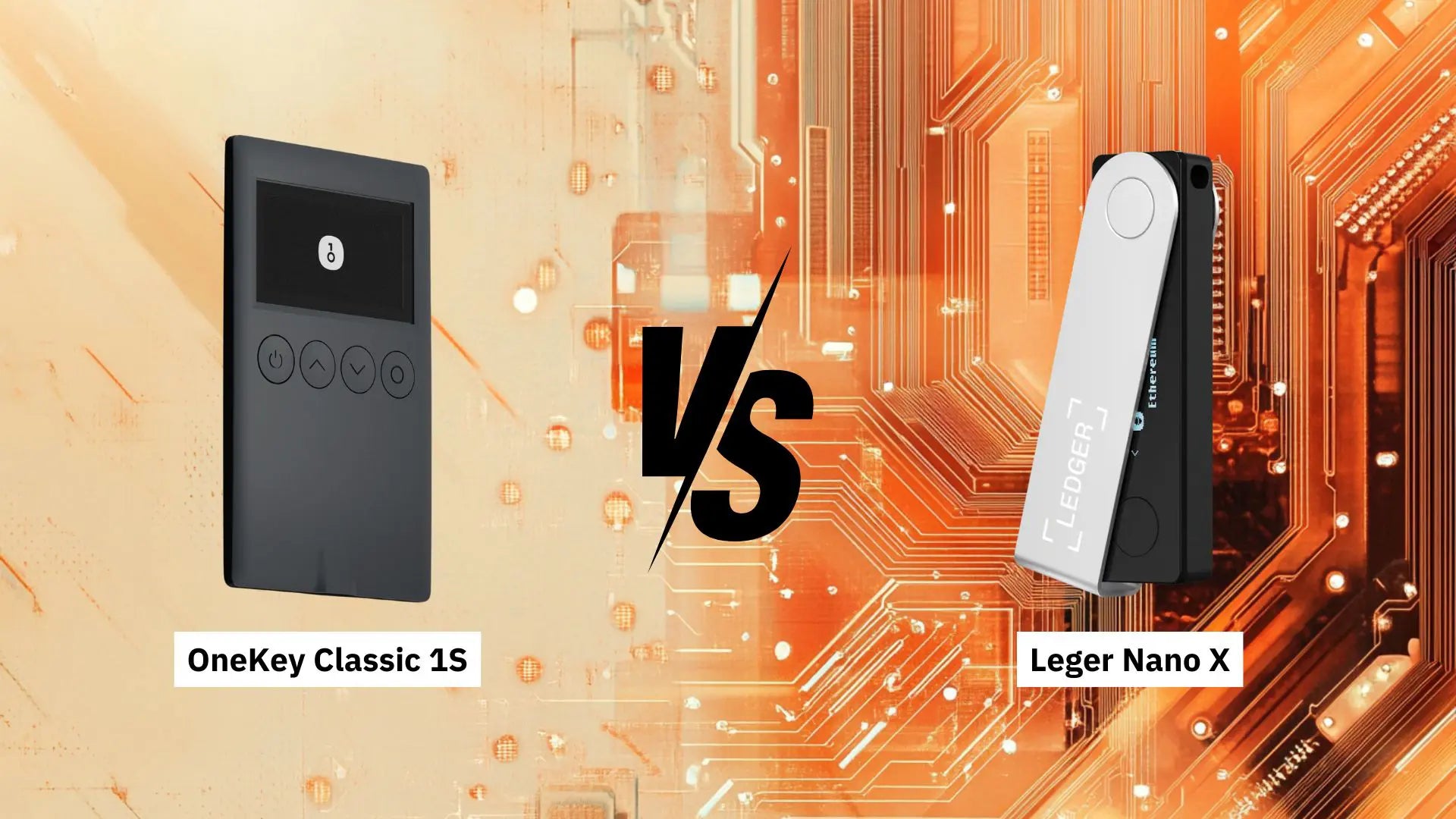
This article compares two popular Hardware Wallets, OneKey Classic 1S and Ledger Nano X, in a head-to-head comparison to provide an overview of both Hardware Wallets. This information will help in making an informed decision when purchasing either of these two Hardware Wallets.


The main reason for choosing these two models for comparison is that they have many similar features, such as connectivity, price, and compatibility with other devices. This is why these two models were chosen for comparison, to ensure there isn't too much difference in their operational features.
Each Hardware Wallet model has unique features, security measures, and ease of use tailored to different types of users. This article's comparison will provide an in-depth analysis of key features, usability, pros, and cons, along with a summary to aid in decision-making.
Comparison of Key Features
|
Feature |
OneKey Classic 1S |
Ledger Nano X |
|
Display |
1.44-inch OLED screen Resolution 128x64 |
1.09-inch OLED screen Resolution 128x64 |
|
Control Buttons |
4 buttons (Power, Up, Down, Confirm) |
2 buttons (Left, Right) |
|
Security |
Security standard (EAL 6+) |
Security standard (CC EAL5+) |
|
Backup & Recovery |
BIP39 seed phrase |
BIP39 seed phrase |
|
Account Recovery Service |
Only the owner can recover the account. No third party can. |
Ledger Recover service is available, allowing Ledger and its partners to recover accounts for the owner. |
|
Price |
Approximately 3,590 - 3,990 Baht |
Approximately 5,790.00 – 5,990 Baht |
|
Open Source |
100% Open-source |
Partial (Ledger Live Closed-source) |
|
Warranty Period |
1 year |
2 years |
Comparison of Usability
|
Usability |
OneKey Classic 1S |
Ledger Nano X |
|
Setup |
OneKey app is easy to set up, straightforward with clear instructions. |
Ledger Live app is easy to use. |
|
Mobile Application |
OneKey mobile app |
Ledger Live mobile app |
|
Compatibility |
Supports multiple platforms (Mac, Windows, Linux, iOS, Android) |
Supports multiple platforms (Mac, Windows, Linux, iOS, Android) |
|
Coin Support |
Supports over 5,000 coins |
Supports over 5,000 coins |
|
User Experience |
Simple and user-friendly |
Easy to use interface but might be more complex |
Who are these devices suitable for?
OneKey Classic 1S

Suitable for beginners and general users due to its easy setup and uncomplicated interface. It appeals to users looking for an affordable hardware wallet that is secure and easy to use with mobile devices.
Ledger Nano X

Suitable for users who have experience with Hardware Wallets or Software Wallets, and for those who require broad Web3 Wallet support, such as Phantom Wallet on Solana.
Pros and Cons of both Hardware Wallets
Ledger Nano X
|
Pros |
Cons |
|
|
OneKey Classic 1S
|
Pros |
Cons |
|
|
Comparison Summary
Both the OneKey Classic 1S and Ledger Nano X Hardware Wallets offer strong security features and usability tailored to different user groups.
Ledger Nano X excels in its broad compatibility, making it suitable for more experienced users.
OneKey Classic 1S stands out with its affordable price and ease of use, appealing to new users and general users. You can find more reviews here.
Ultimately, the choice of Hardware Wallet between these two options will depend on an individual's priorities regarding security, usability, and budget.
Reference
Ledger Nano X vs. OneKey Classic: https://www.etherbit.in/compare/wallets/ledger-nano-x-vs-onekey-classic
OneKey Classic Review 2024: A Simple And Complete Hardware Wallet: https://blockdyor.com/onekey-classic-review/
Comparison of the latest Hardware Wallet models in 2024: https://bit.ly/3VXq8iG

แชร์:
How to safely use a Hardware Wallet with Ragnarok Online Landverse?
How to Use U2F on a OneKey Hardware Wallet