


A Security Key is a hardware device for two-factor authentication (2FA) that comes in USB, NFC, or smart card forms. It is designed to prevent phishing and unauthorized account access.
✅ How a Security Key Works
A Security Key uses FIDO2 or U2F standards for authentication, following these main steps:
- A key pair is generated for each website – the private key is stored on the device, and the public key is sent to the server.
- When logging in, the website sends a challenge to the Security Key.
- The device uses its private key to sign the challenge and sends it back to the server for verification.
- The private key is never sent out of the device, making it secure against data theft.
🔄 Comparison with Other Authentication Methods
| Method | Pros | Cons |
|---|---|---|
| Security Key | - 100% phishing protection- No reliance on mobile networks- High physical security | - Requires additional device purchase- Must be carried- May be lost or damaged |
| SMS OTP | - Easy to use- No app installation required- Familiar to general users | - Risk of SIM swap- Can be intercepted- Does not prevent phishing- Requires mobile signal |
| Authenticator App | - No mobile signal required- More secure than SMS- Can be used for multiple accounts | - Not 100% phishing protected- Requires app installation- Reconfiguration needed when changing devices |
👤 Security Key vs. Biometric Systems (Face/Fingerprint Scan)
| Feature | Security Key | Biometric |
|---|---|---|
| Data Type | Renewable digital key | Irreplaceable biometric data |
| Data Storage | Stored on a separate device | Stored on the device, e.g., smartphone, using Secure Enclave or Trusted Execution Environment |
| Privacy | Does not store personal data | Stores sensitive data, potentially at risk if device is jailbroken or hacked |
🛡️ Security Key vs. Google Password Manager
| Feature | Security Key | Google Password Manager |
|---|---|---|
| Physical Form | Separate hardware device | Software on device, synced via cloud |
| Primary Function | Authentication (2FA) | Password storage, form filling, password generation |
| Phishing Protection | Verifies actual URL, 100% phishing protection | Alerts about suspicious websites, but user might still enter data on fake sites if careless |
👉 Recommendation: Use them together for maximum effectiveness – manage passwords with Google Password Manager and use a Security Key for authentication.
🔑 Security Key vs. Passkey
| Feature | Passkey | Security Key |
|---|---|---|
| Format | Digital, resides in smartphone/cloud | Separate hardware |
| Convenience | No need to carry extra device | Must be carried and purchased separately |
| Syncing | Syncs via cloud (e.g., iCloud, Google) | Cannot sync, must register on each device |
| Risk | Slightly higher risk if cloud account is hacked | Low risk, separate from main device |
Appropriate Use Cases:
- Security Key: Suitable for critical accounts (Email, Exchange, Wallet, etc.)
- Passkey: Suitable for general users who prioritize convenience and cross-device syncing
💰 Using a Hardware Wallet as a Security Key
Many Hardware Wallets support FIDO2 / U2F, such as:
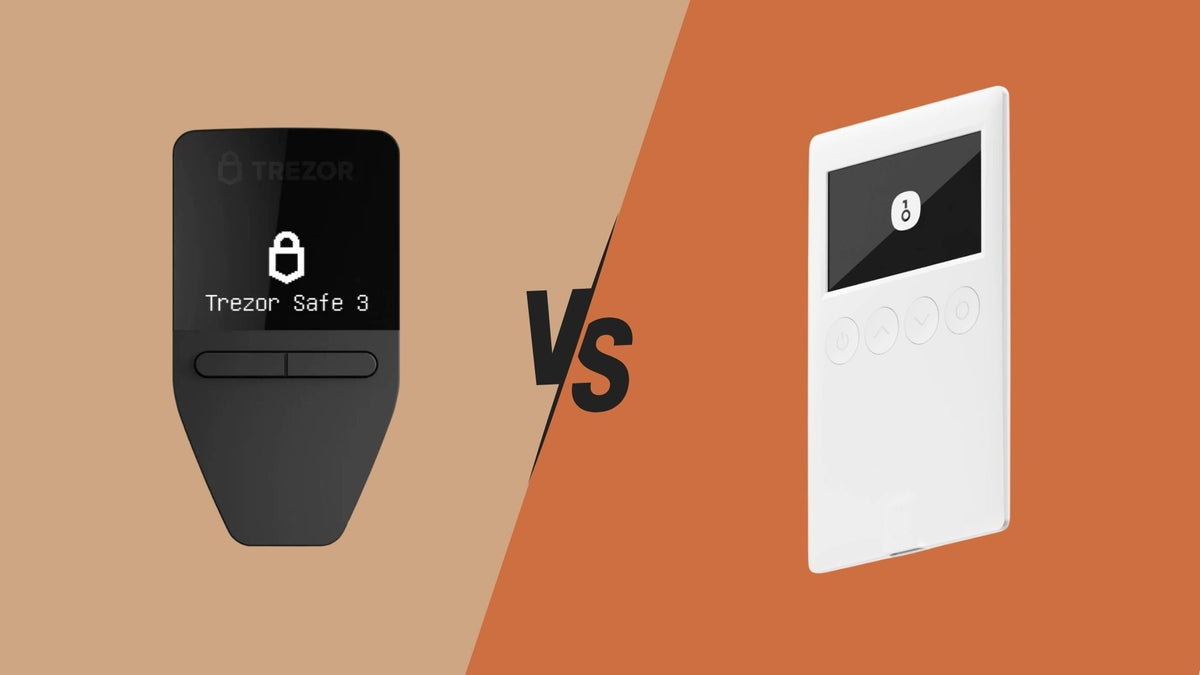
- Trezor Model T, Trezor Safe
- OneKey
- Ledger Nano S / X / S Plus
- Foundation Passport
✅ Advantages:
- Cost-effective (one device serves multiple functions)
- Reduces the number of devices to carry
- High security standards
⚠️ Limitations:
- Some models do not support mobile connectivity
- Firmware should be updated regularly
📱 Usage with Smartphones
Android:
- Supports NFC or USB-C
- USB-A can be used via an OTG Adapter
iPhone:
- NFC support from iOS 13.3
- Lightning or USB-C models (iPhone 15) support Security Key connection
🌐 Services Supporting Security Keys
- Google: Gmail, Drive, YouTube
- Microsoft: Outlook, 365, Azure
- Apple: Apple ID
- Social Media: Facebook, Twitter, Instagram, LinkedIn
- Crypto Exchanges: Bitkub, Binance, OKX
- Email: ProtonMail, Fastmail, Outlook
❓ Frequently Asked Questions (FAQ)
Q: What is a Security Key?
A: A hardware device for 2FA that is more secure than other methods, especially in preventing phishing.
Q: How does it differ from OTP and Authenticator apps?
A: It offers better phishing protection because it verifies the actual URL, does not rely on mobile signals, and codes cannot be intercepted.
Q: How does it differ from biometric systems?
A: A Security Key does not use biometric data, can be changed when necessary, and can be shared with others in some cases.
Q: How does it differ from Google Password Manager?
A: A Security Key is a hardware device used for authentication, not for storing passwords, unlike a Password Manager which focuses on storage and auto-filling.
Q: Are Security Keys and Passkeys different?
A: Both use the same FIDO technology, but Passkeys reside on smartphones and can sync, while Security Keys are separate hardware devices, offering better phishing protection.
Q: What if my Security Key is lost?
A:
- Use the saved Recovery Code.
- Use a backup method such as Email or Authenticator.
- Contact the service provider's support.
Recommendation: Always have at least two Security Keys and keep recovery codes safe.
Q: Can each authentication method be used interchangeably?
A:
It depends on the service being used, but generally:
- Security Keys cannot directly replace SMS OTP or Authenticator Apps for some services; they need separate setup.
- Passkeys can replace Security Keys in many FIDO2-supported cases.
- Biometrics are often used to unlock devices or apps rather than as full 2FA.
- Google Password Manager is not a true 2FA tool, but it can complement a Security Key for convenience.
👉 Summary: Most services allow multiple methods to be used, but you should set up at least two methods for security and flexibility.
🔚 Conclusion
A Security Key is one of the most secure authentication methods available today, helping to prevent phishing and unauthorized access. It is ideal for high-value accounts such as email, banking, crypto, and enterprise services.
Using it in conjunction with other tools like Password Managers or Passkeys will help you achieve a balanced level of security and convenience.
แชร์:
Trezor Suite Application User Manual
Hardware Wallet Industry News Update - March 2025