


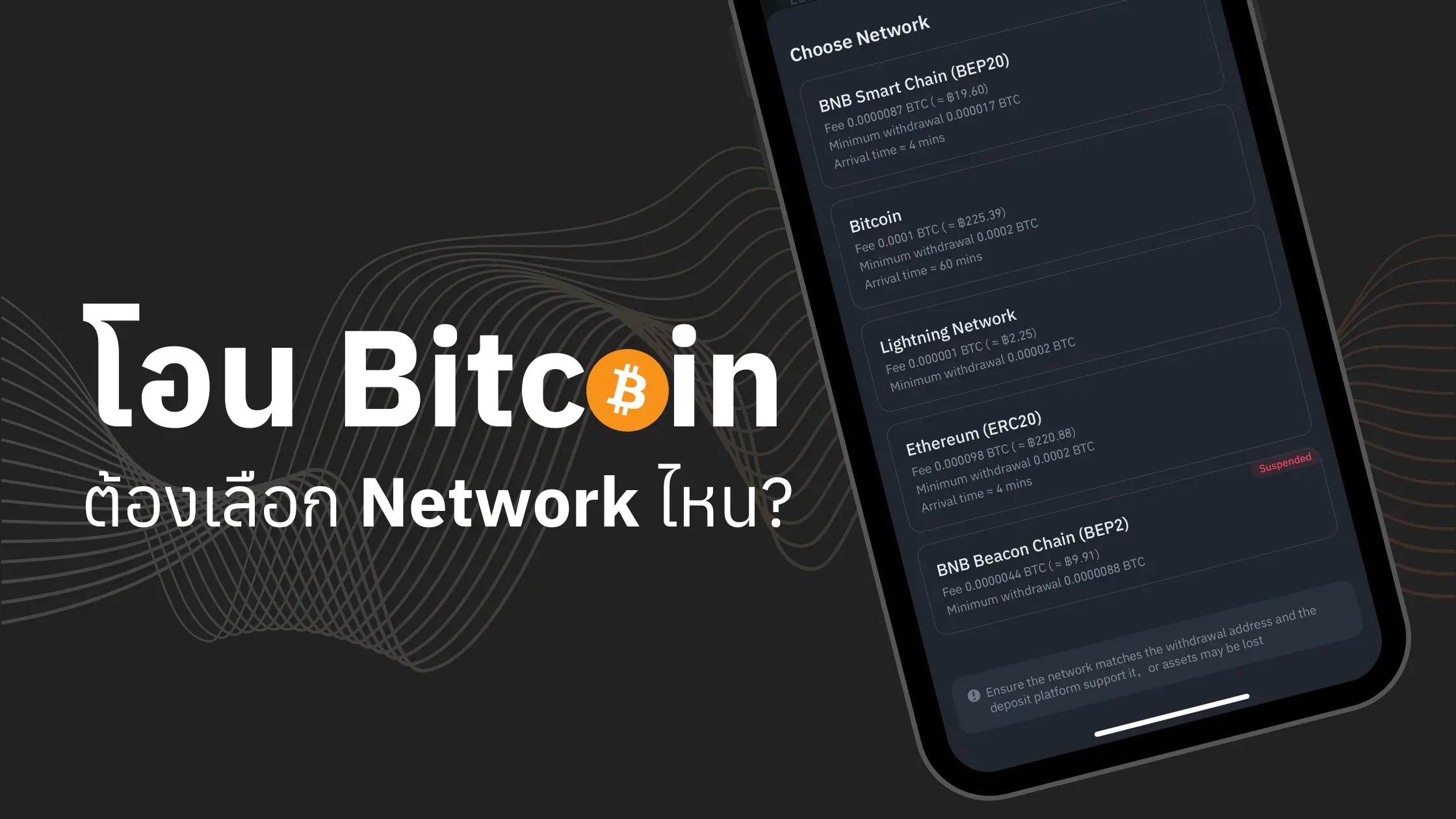
Many new users often have questions about transferring Bitcoin from an Exchange to self-custody using a Hardware Wallet. The questions usually are: "Which network should I choose for transferring Bitcoin?" or "Can I choose Lightning Network or Binance Smart Chain? The fees are cheaper."
This article will divide networks into 3 main types: Bitcoin Network, Lightning Network, and other Blockchains such as Ethereum or BNB Smart Chain.

Before choosing which network to use, it's recommended to read this article to understand the four types of Bitcoin Addresses: Legacy (P2PKH), Nested SegWit (P2SH format), Native SegWit (Bech32 format), and Taproot (P2TR), to select the appropriate Bitcoin Address type.
1. Transferring Bitcoin using the Bitcoin Network (BTC)
If you want to truly hold Bitcoin, you must use only the Bitcoin Network (BTC) when transferring it. Many people mistakenly believe that all Bitcoins are the same, but this is incorrect. Bitcoins on other networks are not actual Bitcoin; they are only Wrapped Bitcoin (WBTC).
Steps to transfer Bitcoin from an Exchange using the Bitcoin Network (BTC)
Example of withdrawing Bitcoin from Bitkub Exchange to a Hardware Wallet:
- Log in to Bitkub.
- Go to the wallet tab at the bottom.
- Select withdraw BTC.
- Enter the destination wallet address (starting with 1, 3, or bc1) in the recipient address field.
- Specify the amount to withdraw.
- Review fees and confirm withdrawal.
No need to select any network, as Bitkub does not support Bitcoin transfers using other networks, thus forcing the use of the Bitcoin Network only.


How to view your Wallet Address when transferring Bitcoin to yourself via the OneKey app:
- Go to All Network.
- Select Bitcoin.
- Click Receive.
- Copy the Address or scan the QR code to get the Wallet address.


Precautions
- Verify the wallet address.
- Observe the fees charged by the Exchange.
- Be careful not to use the wrong network address.
- Always try transferring a small amount first.
2. Transferring Bitcoin using the Lightning Network (LN)
What is Lightning Network?
Lightning Network (LN) is a Layer 2 network built on top of the Bitcoin Blockchain (Layer 1), operating off-chain rather than directly on Layer 1. Lightning Network was designed to address the scalability problem of the Bitcoin blockchain by enabling faster and cheaper BTC transfers, and its adoption among exchanges is growing.
The Lightning Network performs transactions off-chain, using what is called a Payment Channel. Once a Channel is established, the two parties can exchange coins by creating a Channel and signing transactions that adjust the channel's balance. This requires both parties to sign all transactions within the channel.
For example:
If A and B open a Lightning Network channel with an initial balance of 1 Bitcoin each:

A can send 0.5 Bitcoin to B.

This creates a new transaction that updates the channel's balance to A having 0.5 Bitcoin and B having 1.5 Bitcoin.

Both parties must sign this, but the transaction is not broadcast to the blockchain; it is recorded only in the off-chain state of the Channel.
The Lightning Network payment channel remains open until one party decides to close it. When the channel is closed, its final state is recorded on the Bitcoin blockchain (Layer 1), allowing both parties to receive their respective Bitcoin balances.
Currently, using the Lightning Network (LN) is straightforward through custodial Lightning Network solutions, similar to entrusting your coins to another party. In this context, it involves using a Lightning Wallet from a real node provider, eliminating the need for you to set up a node. This allows you to use the Lightning Network easily.
Currently, using the Lightning Network (LN) is straightforward through custodial Lightning Network solutions, similar to entrusting your coins to another party. In this context, it involves using a Lightning Wallet from a real node provider, eliminating the need for you to set up a node. This allows you to use the Lightning Network easily.
Exchanges that support Lightning Network (examples) include:
- OKX
- Kraken
- Binance (some countries)
Steps to transfer Bitcoin from an Exchange using the Lightning Network (LN)
- Select withdraw BTC from the Exchange.
- Select "Lightning" or "BTC Lightning" network.
- Enter the Lightning Invoice or LNURL.
- Specify the desired amount (within the Exchange's limit).
- Confirm withdrawal.


How to view Lightning Invoice or LNURL when transferring Bitcoin via the OneKey app:
- Go to the OneKey app and select All Network.
- Select Lightning.
- Click Receive.
- You can enter the desired amount or leave it blank, then click Create invoice.
- Copy the Address or scan the QR code to get the Lightning Invoice or LNURL.


Precautions
- Ensure that the Exchange supports Lightning Network.
- If you choose to create an Invoice, it will have an expiration time.
- There are limitations on the maximum transfer limit.
- Some Exchanges require additional identity verification.
3. Transferring Bitcoin via Other Blockchains
As mentioned in the section "Transferring Bitcoin using the Bitcoin Network (BTC)," if we want to store Bitcoin, we must transfer it using only the Bitcoin Network. Bitcoin on other networks is not Bitcoin, but only Wrapped Bitcoin (WBTC).
What is Wrapped Bitcoin (WBTC) Token?
The principle of WBTC is to collateralize real Bitcoin and create WBTC in an equivalent amount (though it might not be exactly equal in reality). This is similar to creating stablecoins like USDT, USDC, which collateralize fiat money and create coins in an equivalent amount.
Is WBTC Token Bitcoin?
The answer is no, it's not real Bitcoin. To illustrate, WBTC Token is like a gold certificate. When we buy gold, do we want gold or a gold certificate? In the past, gold certificates were useful because they granted ownership and facilitated easy transfer.
Therefore, we must consider our purpose for buying Bitcoin. If we want to use it as collateral for other assets or for short-term speculation, then buy WBTC Token. But if we want to hold real Bitcoin, then buy Bitcoin that is actually on the Bitcoin Network.
What can Bitcoin certificates (WBTC Tokens) be used for?
Bitcoin certificates or gold certificates are available on various networks, such as BEP20 from Binance, ERC20 from Ethereum. They can be used for desired purposes, such as adding to LP, etc.
Actually, this issue occurs with many coins, for example, Ethereum on the BNB Smart Chain. The same principle applies: real Ethereum is collateralized, and ETH on the BNB Smart Chain is created in the same way.
Many Exchanges support BTC transfers via other Blockchains, such as BNB Smart Chain (BSC), Ethereum, etc.
Common formats
- BEP20 (BSC): BTCB
- ERC20 (Ethereum): WBTC
- Solana: BTC (Wrapped)
Transfer Steps
- Select BTC withdrawal
- Select the destination network (e.g., BSC, Ethereum)
- Enter the wallet address that supports that network
- Specify the amount
- Review and confirm


How to view Wallet Address on other Networks on the OneKey App (Example: Ethereum)
- Go to All Network
- Select Ethereum
- If "WBTC" is not found, click to add coins.
- Search for "WBTC" and click the "+" icon to add the coin, then click "Add Coin".
- Click on the "WBTC" coin.
- Click Receive to receive the coin.


Precautions
- The wallet address must support the selected network.
- BTC will be converted to tokens on that Chain.
- Fees may vary greatly.
- Some Exchanges limit transfer amounts.
Comparison table for transferring Bitcoin from Exchanges using different networks
|
Feature |
Bitcoin Network |
Lightning Network |
Other Blockchains |
|
Support |
All Exchanges |
Some Exchanges |
Some Exchanges |
|
Speed |
10 - 20 minutes |
1-5 minutes |
1-5 minutes |
|
Exchange Fee |
High |
Low |
Depends on selected Blockchain |
|
Minimum transfer limit |
Higher |
Lower |
Moderate |
|
Maximum transfer limit |
Depends on Exchange |
Depends on Exchange |
Depends on Exchange |
Coin Format Received
BTC
sat
Wrapped BTC
Recommendations for Choosing a Transfer Method
- For long-term storage
- Use the Bitcoin Network
- Transfer to a Hardware Wallet
- Accept higher fees
- For spending
- Use the Lightning Network
- Suitable for small transfers, e.g., food, coffee, small expenses
- Save on fees
- For trading or DeFi
- Use other Blockchains
- Choose according to the desired platform
- Consider the total fees
Summary
If you plan to hold Bitcoin long-term or have a large amount, you should only choose to transfer via the Bitcoin Network. It is also advisable to use a Hardware Wallet from a trusted manufacturer and a trusted vendor to store Bitcoin for the highest security of your digital assets. You can browse Hardware Wallets here.
If you need to use Bitcoin for small transactions or to pay for various services, such as food or coffee, which are not high in value, you should choose to use the Lightning Network because there are no transaction fees within the Lightning Network and transfers are fast.
If you want to use Bitcoin for transactions like DeFi or collateralizing for other assets, you can use other Blockchains for transfer. However, it's important to note that the Bitcoin transferred using these other Blockchains is not actual Bitcoin.
"Not your keys, not your coins" - When you understand how to transfer and store Bitcoin correctly, you will be able to truly control your digital assets.


แชร์:
When transferring XRP from an exchange to a hardware wallet, do I need to include a Memo/Tag?
If I restore a Hardware Wallet's Seed Phrase on a Software Wallet, what should I do?